
Conference Session Moderator Guide
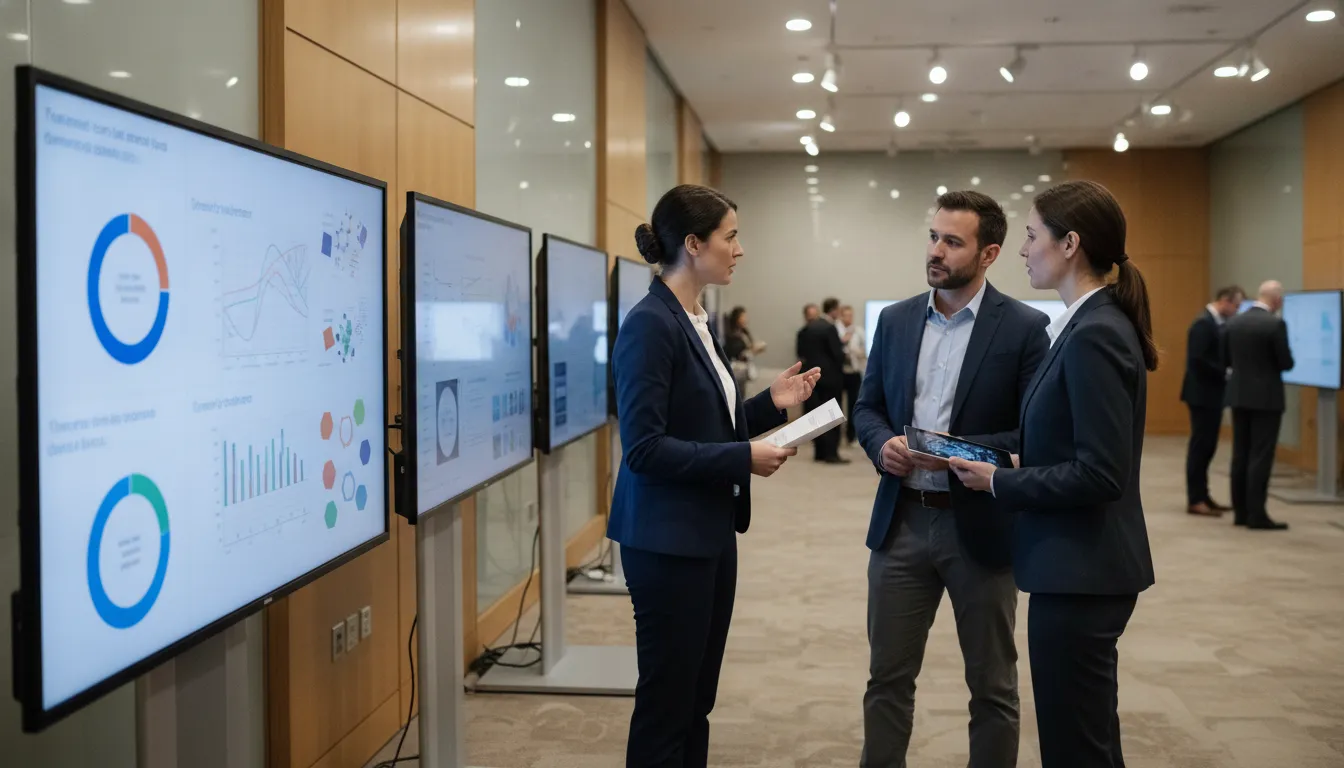
A conference session moderator guide gives the person running a digital poster session a job they can finish. It is not a speech about leadership. It is a short run-of-show, a few opening lines, a clock, a transition plan, and a clear point where a technician takes over. Organizers write it. Moderators use it. Presenters and attendees should never have to guess who is in charge of the room.
Poster sessions fail in ordinary ways. A moderator opens late. Two presenters talk over a changeover. A display will not load, and nobody knows whether to wait or to call the help desk. This guide is written for the organizer who staffs that room, not for a panel chair running an oral symposium and not for the presenter preparing a file.
Use the sections below as a template. Swap in your session names, board numbers, and the support path you actually booked. Leave out anything your contract does not include.
Request an RFP when you want a staffed poster session planned around your room, poster count, and on-site technicians.
What a conference session moderator guide covers
Write the guide for one session block, not for the whole conference. A moderator can hold one room, one time window, and one set of presenters in their head. A document that also tries to explain file formats, judging rubrics, and sponsor messages will not get used at the door.
Keep these jobs inside the guide:
- Who the moderator is, and who they are not.
- The run-of-show from arrival to close.
- Opening lines the moderator can say out loud.
- How time is kept and how presenters hand off.
- Which problems the moderator handles, and which go to a technician.
Point authors to a separate conference presenter guide for file prep, deadlines, and how a display behaves. Point visitors to attendee instructions for wayfinding. This page stays with the person who opens the session and keeps it moving.
Name the package in one sentence so the moderator does not invent a service. On a staffed poster program, that sentence usually covers displays and stands, presenter file help, and an on-site technician. Abstract submission, electronic judging, a virtual room, and gallery hosting are separate add-ons. If you did not book them, the guide should not mention them as if they will appear.
Decide who the moderator is before you write the script
Pick the moderator when you lock the program, not the morning of the session. A good choice is someone who can be in the room for the whole block and who will follow a written script. A faculty host, a session chair, or a trained staff lead can all do it. A presenter who is also showing their own poster usually cannot.
Write four facts at the top of the guide:
- Moderator name and a backup name.
- Session title, room, start time, and end time.
- How many posters are live in that block, and which board numbers they use.
- The technician's name, radio or phone, and where they stand.
Say what the moderator does not own. They do not grade posters. They do not rewrite files. They do not renegotiate the floor plan. They do not promise a sponsor placement. Those jobs belong to judges, the content team, the venue lead, or the organizer. Stating the limit keeps a helpful moderator from taking on work that will stall the room.
If you use volunteer session chairs, give them the same one-page card the staff lead uses. Do not hand them a 20-page manual. The card should fit in a badge holder or on a clipboard at the room entrance.
Build a session run-of-show they can hold
A run-of-show is a clock with owners. Build it backward from the published end time. Most digital poster blocks need time before the doors feel open, time while presenters are with their boards, and a short close so the next block can load.
A workable shape for a 90-minute block looks like this. Adjust the minutes to your program. Do not treat the numbers as a rule.
| Clock | What happens | Who leads |
|---|---|---|
| 20 minutes before start | Moderator meets the technician, walks the boards, and confirms which posters are loaded | Moderator and technician |
| 10 minutes before start | Presenters stand at assigned boards. Missing authors are noted, not chased through the hall | Moderator |
| Start | Short welcome, how to move through the room, and where to get help | Moderator |
| Middle of the block | Presenters stay with posters. Moderator watches flow, noise, and the clock | Moderator |
| 10 minutes before end | One time warning, then a clear close. No new introductions | Moderator |
| End | Thank the room. Hand the space to the technician for the next file set | Technician |
If several sessions share the same displays, the changeover belongs on the run-of-show as its own line. The moderator announces the close. The technician switches the files. The next moderator does not start until that switch is done. Mixing those two jobs is how a room loses ten minutes and then runs long.
Put the same clock on the moderator card and on the technician's copy. If the two sheets disagree, people will follow the one in their hand.
Give them opening script prompts, not a speech
Moderators freeze when the script is a paragraph they must memorize. Give them prompts. Each prompt is one sentence they can say in their own voice. Six lines cover a poster hall. You do not need a keynote.
- Welcome people to the session by its published name and room.
- Say how long the block runs, and name the end time out loud.
- Tell attendees to walk the boards, read the poster, and speak with the presenter at that board.
- Point to where technical help stands, without listing every device in the room.
- Ask presenters to stay at their assigned board until the close.
- Close with the time warning, thanks, and a stop so the next session can set up.
Here is a shape you can adapt. Replace the bracketed words. Do not add claims about awards, judging, or a virtual audience unless that piece is actually on the program.
Welcome to [session name] in [room]. We run until [end time]. Please walk the displays, stop at the posters you came to see, and talk with the presenter at that board. If a display needs help, the technician is [location]. Presenters, please stay with your board until I close the session. I will give a ten-minute warning before we stop.
Skip jokes about the previous session, apologies for the venue, and a long thank-you list. Those lines burn the first five minutes, which is the window attendees use to find a board. If a dignitary must be named, cap it at one sentence and move on.
Print the prompts in large type. A moderator who is also greeting people at the door will not read small text on a phone.
Keep time without turning the room into a lecture
Poster sessions are not oral talks with a chair and a bell for every speaker. Timekeeping still matters. Attendees plan the next session from your published end. Presenters in the following block need the displays. A moderator who "lets it run" creates a line in the hallway.
Use three marks only:
- A start that matches the program, even if the room is still filling.
- One warning about ten minutes before the end.
- A hard close at the published time.
Say the warning to the room, not only to the nearest presenter. A single sentence is enough: "We have ten minutes left in this session." At the close, thank people and stop. Do not take questions from the floor after the end time. Individual conversations can continue in the aisle if the next session does not need that board yet. If the next file set must load, the conversation moves.
Give the moderator a clock they can see, not a guess. A phone in a pocket gets forgotten. A small clock on the clipboard, or a session timer the technician already uses, is enough. Do not build a new timing system for one room.
If your program uses short oral flashes before the poster hour, put those minutes on the run-of-show as their own block and give them a separate chair if you have one. Do not ask the poster moderator to invent flash rules in the moment. Flash length, slide limits, and who speaks are program decisions made before the day.
Hand presenters off without a scramble
Transitions are where poster sessions look chaotic. The fix is assignment, not volume. Every presenter in the block should already know their board number. The moderator confirms the match. They do not reassign boards in the aisle unless the organizer has already approved a change.
Before the welcome, the moderator walks the row once:
- Board number matches the presenter name on the session sheet.
- The person at the board is the presenter, or they know the presenter is late.
- A blank or wrong display is flagged to the technician before the welcome, not after.
During the session, the moderator stays mobile. They are not stationed at one favorite poster. If two presenters bunch at one display, the moderator points the second person back to their own board. If an attendee cannot find a number, the moderator uses the session sheet, not a search through email.
At the close, the handoff has three beats. The moderator ends the session. Presenters step back from the boards that must change. The technician loads the next set. The incoming moderator does not welcome the next group until the technician says the boards are ready. Write that sentence on both cards so neither person starts early.
Late presenters are a note, not a crisis. Mark them absent on the sheet. Offer the technician's location if a file still needs to go up and the package you booked includes on-site loading. Do not hold the welcome for one author. The rest of the room should not lose the start time.
Escalate the right problems, and only those
Moderators get asked to fix things they cannot fix. The guide should split problems into two piles: room flow, which the moderator owns, and equipment or files, which the technician owns.
The moderator handles flow:
- Starting on time and closing on time.
- Pointing people to the right board number.
- Asking presenters to stay at their boards.
- Lowering the welcome if the room is too loud to hear it.
- Noting no-shows for the organizer's record.
The technician handles the display:
- A file that will not open or looks wrong on the screen.
- A board that is dark, frozen, or on the wrong session.
- A presenter who needs a file loaded from a drive, if that loading is in the booked package.
- A changeover between sessions.
- Power or network trouble at the displays.
Give the moderator one sentence for the handoff. "I am getting the technician" is better than a diagnosis. Guessing that a cable, a format, or the venue network is at fault wastes time and can be wrong. The help desk plan is where you design intake, scripts, and the issue log. The moderator card only needs the contact and the location.
Set a wait limit so the session does not pause for one board. If a single display is down, the moderator keeps the rest of the room moving and lets the technician work that board. If many boards are down, the moderator pauses the welcome, tells the room you are fixing displays, and waits for the technician's word before restarting the clock. Do not invent a backup slide show on the spot.
Safety and access issues go to the venue or the organizer, not into a technical ticket. A blocked aisle, a display people cannot approach, or a request for a seating change is an event decision. The moderator reports it. They do not move stands on their own.
What to leave out of the moderator card
Short cards get used. Long cards get folded into a pocket. Cut anything that belongs in another document.
Leave file rules off the card. Authors need templates, naming, and deadlines in the presenter guide, sent before they travel. A moderator reading format tips at the door cannot repair a file, and the advice may not match the package. On-site loading is not the same as a prebuilt kiosk menu. Say which one you booked, in the technician's notes, not in the welcome.
Leave attendee wayfinding off the card except for one pointer: session name, room, and where to ask for help. A full attendee guide covers how to read a board number, how to approach a presenter, and what the displays are for. Duplicating it here creates two versions that drift apart.
Leave judging off the card unless faculty scoring or attendee voting is a booked add-on for this session. If it is booked, the moderator's only line is where judges or voters should go. Rubrics, ballots, and tie rules live with the judging lead. If it is not booked, do not hint that scores or people's-choice votes will happen.
Leave abstract review off the card entirely. Submission portals, reviewer assignments, and acceptance letters are an earlier workflow. By session day, the moderator works from the final board list. They do not reopen who was accepted.
Leave prices off the card. On-site hardware and staffing are quoted per event. The moderator should never quote a screen rate, a rush fee, or a package price to a presenter or a sponsor in the aisle.
Brief the moderator the day before, then get out of the way
A ten-minute briefing beats a long email on the morning of the event. Hold it with the moderator, the backup, and the technician. Walk the actual room if you can. If the venue is far from your office, use photos of the floor and a shared clock.
Confirm five things in that briefing, then stop adding topics:
- The run-of-show times, including the changeover.
- The six opening prompts, read once out loud.
- The board list and how a no-show is marked.
- The technician's location and the one-sentence handoff.
- The hard end time, and who welcomes the next block.
Ask the moderator to repeat the end time and the technician handoff. Those are the two lines people drop under pressure. If they can say both, they are ready. Extra policy talk about sponsorship, virtual attendance, or next year's meeting can wait.
After the session, collect the marked board sheet. Note late starts, boards that needed a technician, and any prompt that confused the room. Feed that into the next block the same day if you still have sessions to run. Save the pattern for the next event. Do not rewrite the whole guide between sessions unless a fact was wrong, such as a room change or a technician move.
When you are ready to staff the session, request an RFP with your dates, room, poster count, and whether you want on-site technicians. The moderator guide works best when the support you describe is the support that will be in the room. You can also reach the Charlestown office at 617-588-3508.
Frequently asked questions
Who should hold the conference session moderator guide?
The organizer writes it and the session moderator carries it. Give the same clock and contact lines to the on-site technician. Presenters get their own prep guide. Attendees get wayfinding, not this card.
How long should the opening be?
About a minute. Cover the session name, the end time, how to walk the boards, and where to find a technician. A longer opening delays the conversations the poster session is for.
What if a display fails during the session?
The moderator keeps the rest of the room on the clock and calls the technician for that board. They do not troubleshoot cables or file formats. If many boards fail, they pause, tell the room, and restart only when the technician says the displays are ready.
Does every digital poster session include judging?
No. Faculty judging and attendee voting are optional add-ons. Put them on the moderator card only when that session booked them, and then only as a pointer to the judging lead.
Can one moderator run two rooms?
Not well. Each room needs a person who can see the boards and hear the clock. If you have two rooms at the same time, name two moderators and give each a card for their own block.