Virtual conference services

Virtual 2D conferences built to mimic the in-person experience.

Our live 2D events feel like attending a real conference from the safety of home. Attendees have the flexibility to move through the Virtual Conference Center freely.

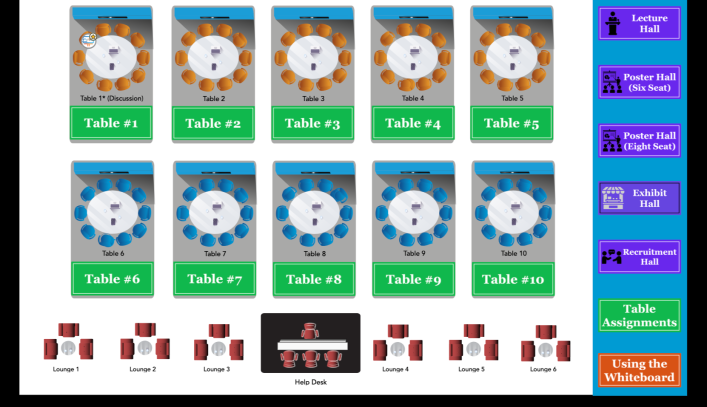
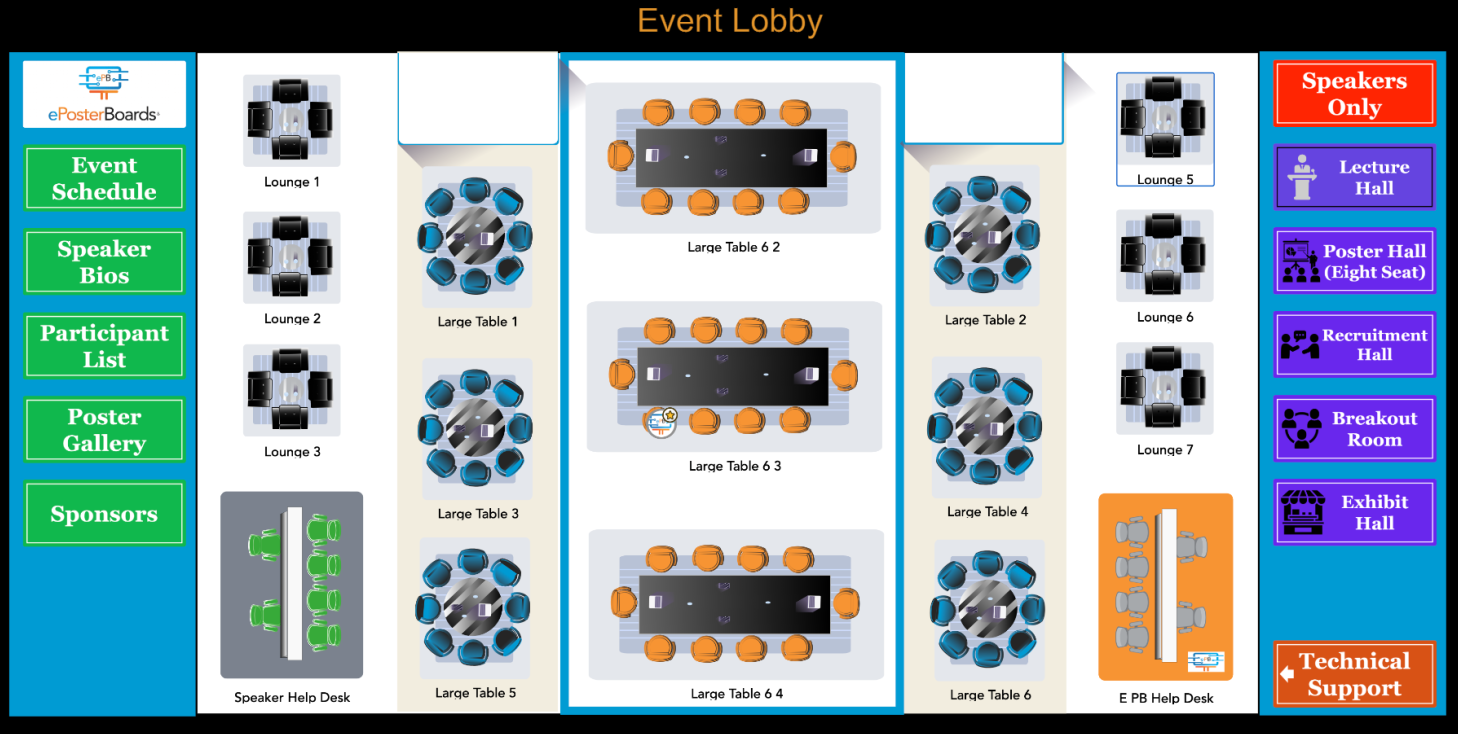
Virtual event lobby map with navigation areas, seating, and an ePosterBoards help desk
Event Lobby01 / 06

Virtual Conference Center

Move through the event, room by room.

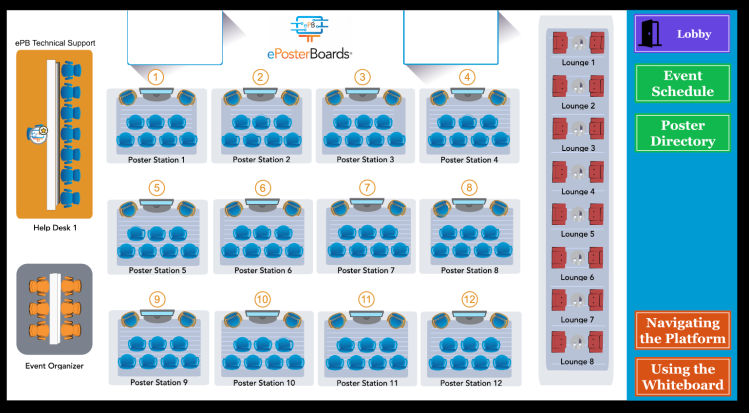
The event lobby is where all presenters and attendees will enter. They can check in at the help desk and presenters can practice setting up their ePoster in the speaker ready room. All attendees will be able to navigate to the event rooms via the lobby.
For attendees

Move freely between linked event spaces, poster sessions, exhibits, talks, and networking rooms.

For organizers

Customize the event map with the rooms, tables, colors, sponsor content, and schedule your event needs.

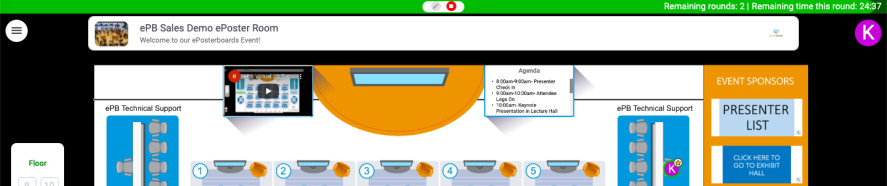
Virtual event lobby interface with floor plan, navigation buttons, agenda, and presenter check-in

Lobby navigation · presenter check-in · event agenda

Live 2D events

Build the conference center around the program.

Customize your event to include poster sessions, oral talks, keynote speakers, panels, exhibit halls and more. Add multiple event floors to accommodate up to 800 attendees.

Virtual event lobby map with navigation areas and tables

Start here

Event Lobby

The event lobby is where all presenters and attendees will enter. They can check in at the help desk and presenters can practice setting up their ePoster in the speaker ready room. All attendees will be able to navigate to the event rooms via the lobby.
Virtual ePoster hall map with poster stations and help desk

Present together

ePoster Hall

The ePoster hall is best for poster sessions. The ePoster presenter sits in the orange speaker chair and shares their screen with their ePoster file. Attendees can freely visit the posters as if it's a true live event!

Virtual exhibit hall map with branded tables and help desk

Meet and explore

Exhibit Hall

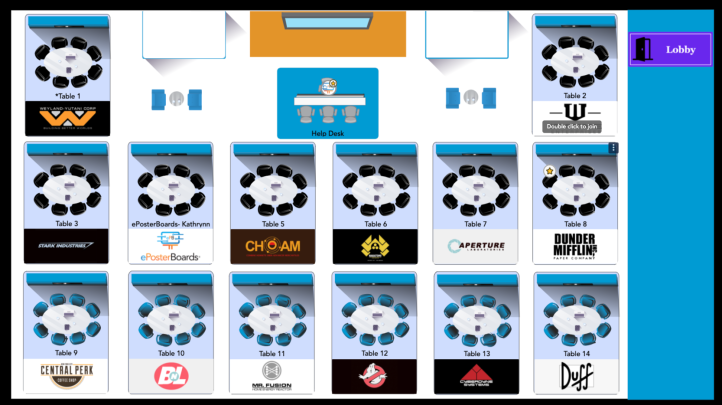
The exhibit hall can host orientation events, sponsor exhibitions, virtual interviews, networking events, career fairs, and much more. Tables can fit 6-8 people and there is plenty of space for sponsor content.

Virtual lecture hall floor map with stage and tables

Take the stage

Lecture Hall

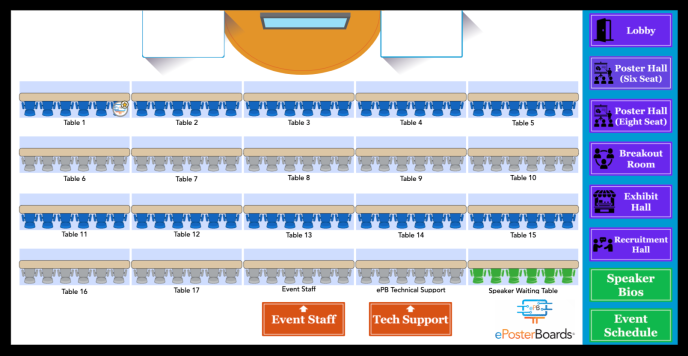
The lecture hall is perfect for speaker series, oral presentations, panel discussions, or breakout rooms. Up to 6 people can fit at a table, but when a talk begins, it takes over the screen for everybody.

Virtual breakout room floor plan with tables and a help desk

Make space for conversation

Breakout Rooms

The breakout room map is extremely versatile. Host discussions or workshops, job fairs, networking sessions, or open the space for attendees to utilize during their lunch hour.

Custom virtual event lobby interface with floor plan and agenda

Make it yours

Custom

Customize your own map with different colors and tables with two to eight seats each.

Key features

The details that keep a virtual event moving.

A virtual conference center can feel open and social while giving organizers the tools to guide the program from one room to the next.
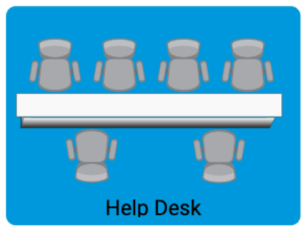
Illustrated virtual help desk with tables and chairs
Moderators provide tech support, check in presenters and speakers, and provide instructions throughout the event.

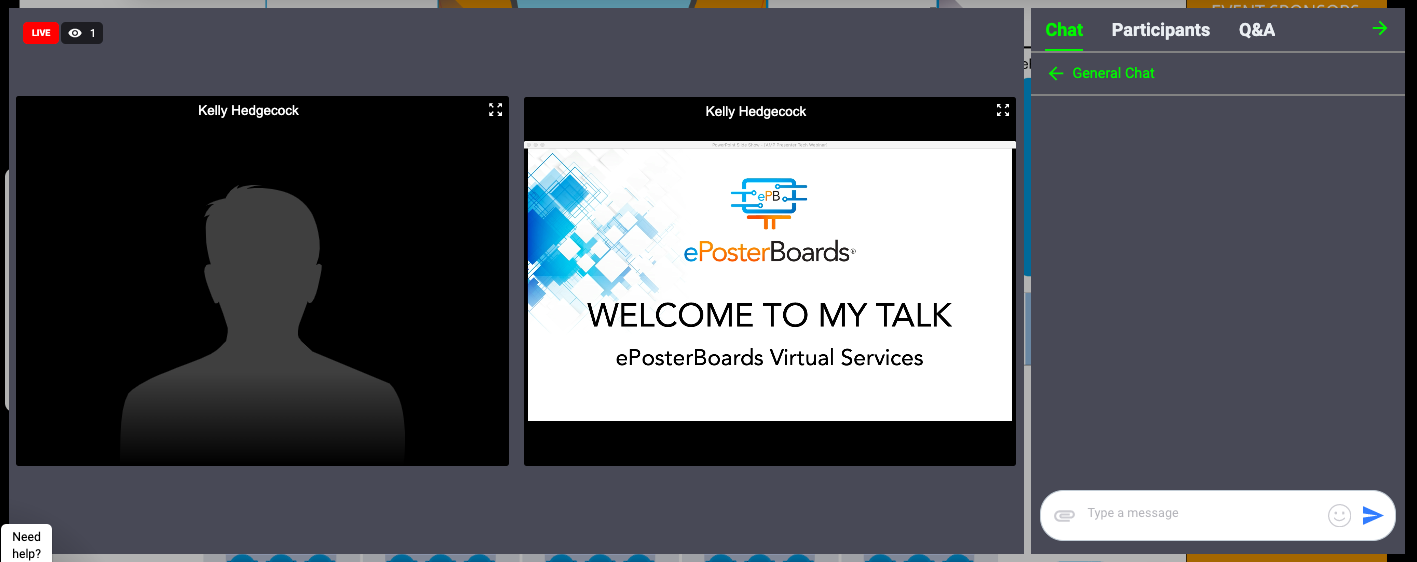
Speaker Stage

  • Multiple speakers can be on stage
  • Speakers can share their screen
  • Audience cannot turn camera or mic on unless given permission
  • Talks can be recorded
  • Right side panel has chat feature, participants list and a Q&A box
  • Audience can upvote questions in the Q&A box

Help Desk

  • ePosterBoards will staff moderators at help desks on each floor of the event space
  • Moderators will provide tech support, check in presenters and speakers, and provide instructions on how to use the event space
  • The help desk will be staffed throughout the duration of the event

Bridging Events

  • Incorporate multiple event maps into your event
  • With the click of a button, attendees and presenters can move to a different room

Sponsors

  • Sponsor blocks are available on all event maps
  • Clicking a sponsor block opens a window which can link to a website or YouTube video

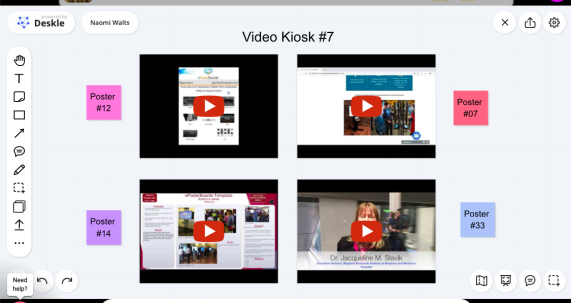
Whiteboards

  • Each ePoster station or table has a whiteboard
  • Whiteboards can host self-narrated ePoster recordings, images, and/or videos
  • Pre-load content to the whiteboard or presenters can add content themselves

Announcements & Timer

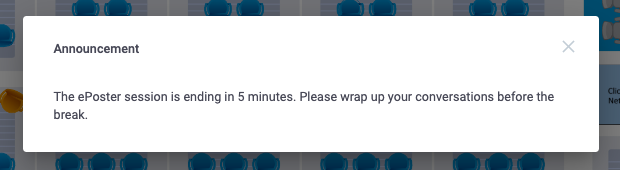
  • Keep the event on track with announcement messages
  • The message pops up on everybody's screen with a bell sound
  • The timer feature shows as a countdown bar at the top of the page
  • It can be set for multiple rounds with a customizable buffer window in between
  • The timer bar turns yellow when time is almost up

The attendee experience

A room for the talk, a table for the conversation.

Speakers can share their screen, attendees can use chat and Q&A, and each ePoster station or table can hold whiteboards with recordings, images, or videos.

Virtual lecture interface with speaker video, presentation, chat, participants, and Q&A
Speaker stage with presentation, chat, participants, and Q&A.
Virtual whiteboard kiosk with video thumbnails
Whiteboards for recordings, images, and videos.
Virtual event announcement about an ePoster session ending soon
Announcements that keep sessions on track.

FAQ

Plan the right kind of event.

The essentials for attendees, organizers, and presenters before the event begins.

Need help choosing a format or planning your event?

Request services
What is a 2D virtual event?+

Live 2D events are virtual events that feel like a real conference. Attendees can move around freely, and events can have multiple types of event spaces linked together. For example, attendees can enter the event lobby to check in, visit a poster session and then head into the exhibit hall.

What are the software requirements for attendees?+

Events are hosted with a browser based software, so no download is required. Attendees & presenters should login using Google Chrome or Firefox on a desktop device. System does require a reliable & open internet network that is not on a VPN.

How much planning notice do you need?+

Ideally 2+ months. Rush fees are added for events booked within six weeks.

How does your service compare to purchasing virtual software license?+

We provide a full virtual conference management service that includes two ePosterBoards staff working with organizers & presenters to schedule and plan all of the virtual event logistics. During the event we will provide moderators & technical support staff to run the entire event.

Do you offer cost effective pricing options?+

We offer three all inclusive pricing packages for $4k, $7k and $10k. Request services for package descriptions and event-specific planning.

What types of events can you accommodate?+

We can accommodate poster sessions, keynote talks, panel discussions, educational courses, lectures, orientations and graduations, exhibit halls, networking events, product demos, art-based presentations, and much more!