Display
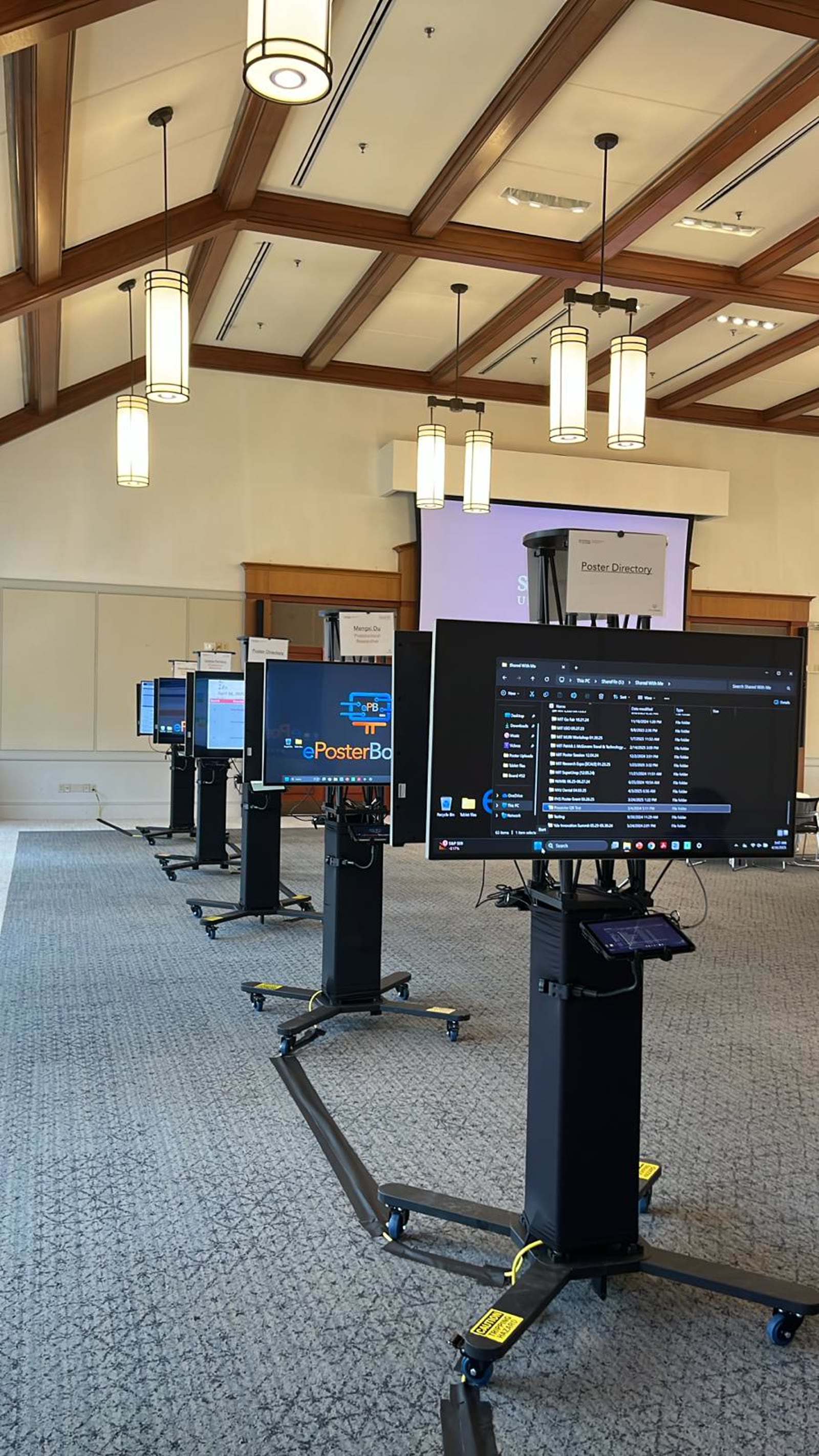
49-inch HD monitors
Large-format flat panel displays, stands, and related equipment.
ePosterBoards Services
A digital alternative for poster presentations at biomedical, scientific, technical, and other conferences.
The service at a glance
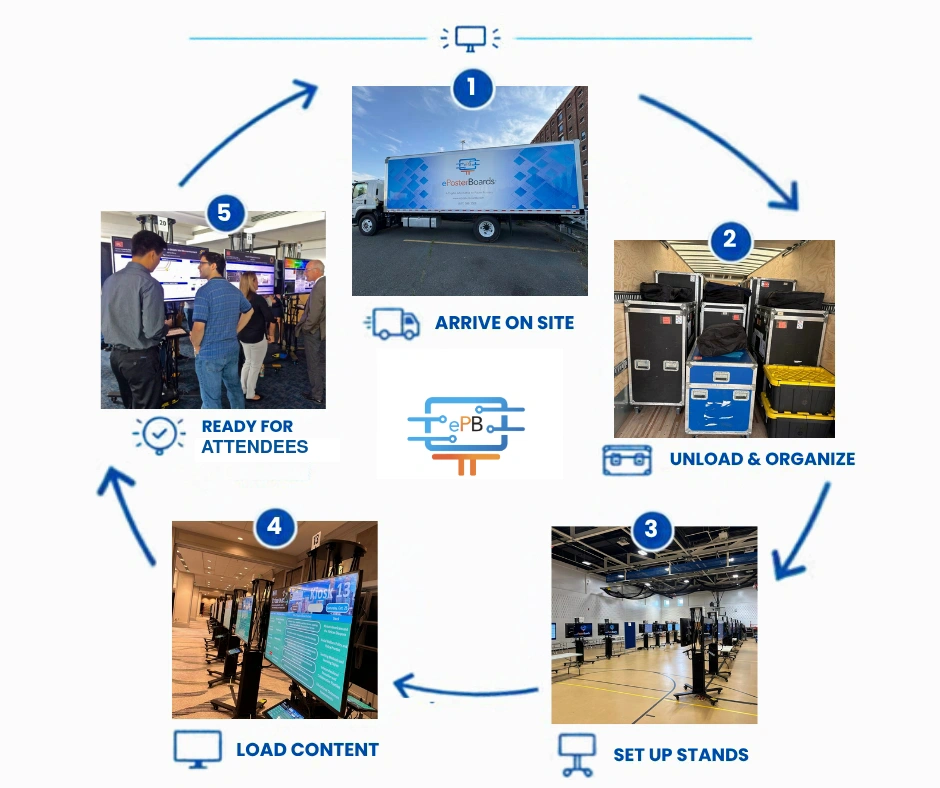
ePosterBoards provides the equipment, content support, setup, and technical assistance that turn a traditional poster session into an interactive digital experience.
Display
Large-format flat panel displays, stands, and related equipment.
Content
Video clips, graphics, animations, 3D models, high-density images, and multi-page posters.
Setup
Plug and play, e-poster kiosk, and digital signage configurations.
Support
Setup, formatting assistance, presenter help, and breakdown.
Choose your setup
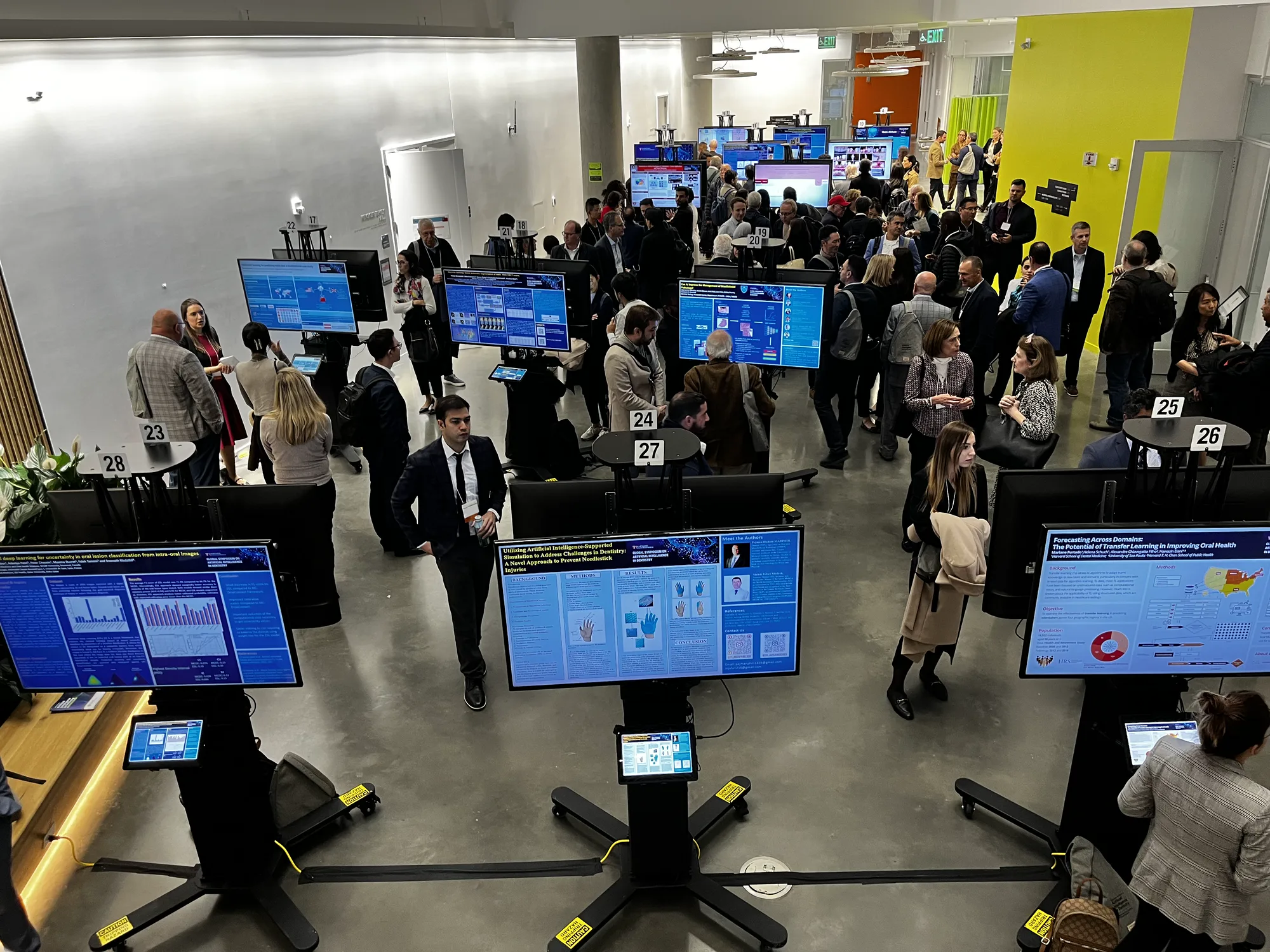
Every package includes technology rental, setup, on-site support, ePoster assistance, and breakdown.
Explore conference ePoster setups01
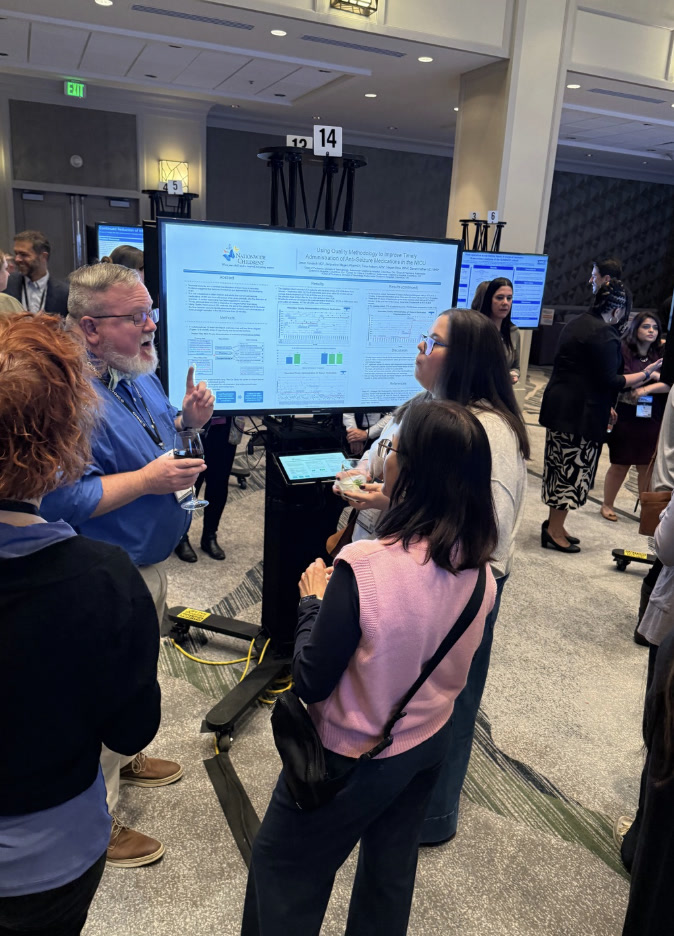
Presenters bring their eposters electronically and work with the on-site team.
02
Presentations are formatted before the event and organized through a custom kiosk menu.
03
A flexible display package for poster sessions, schedules, and event communications.
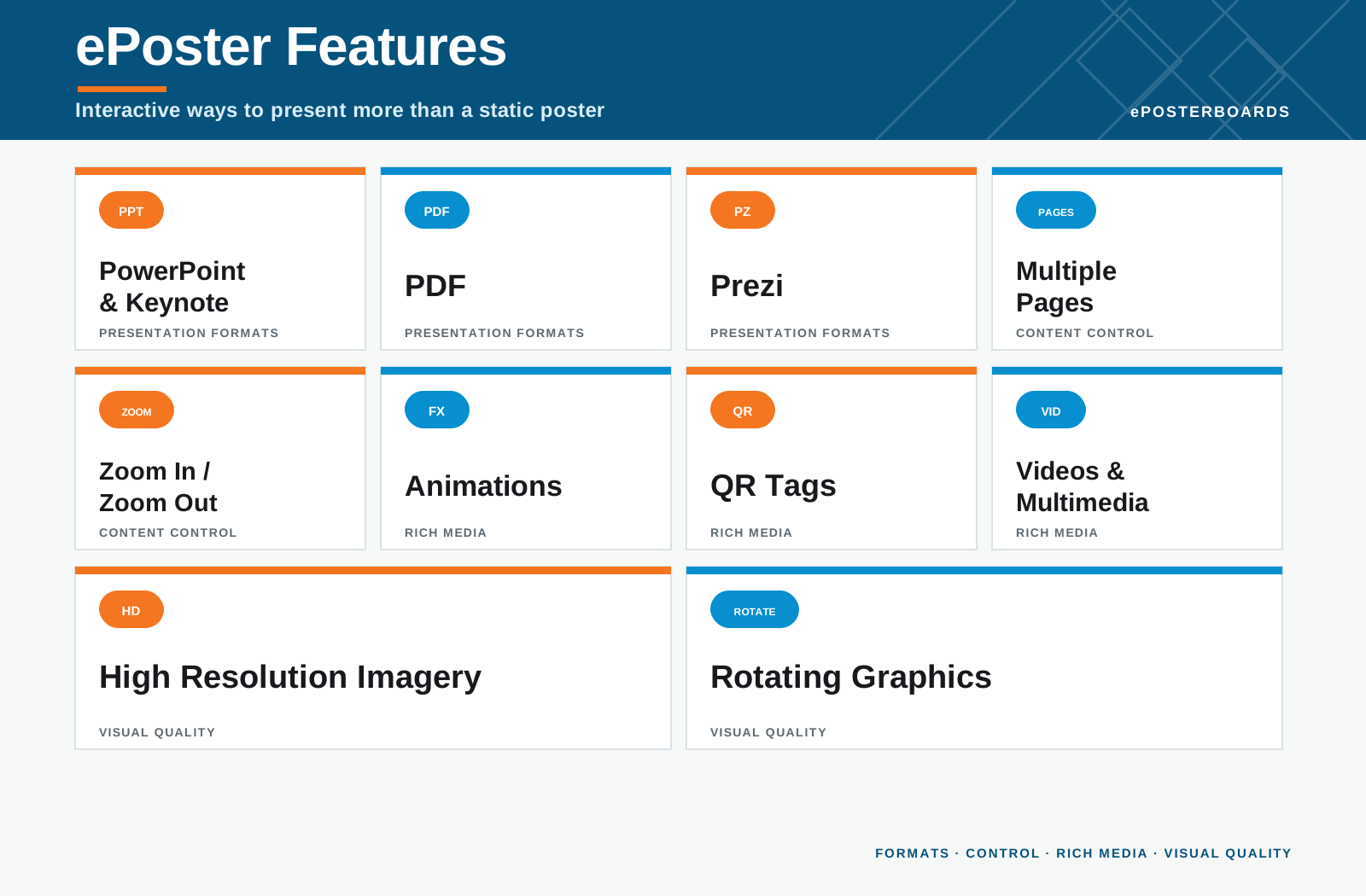
Presentation graphics
Researchers can embed video clips, graphics, animations and 3D models into their poster presentations.
Technical support
The level of support is based on the ePosterBoard package, with the same goal throughout: help presenters focus on their work.
01
Using online customized Presenter Community sites, we provide templates, formatting instructions, poster review, and planning consultation.
02
Technicians load presentations, assist presenters, and troubleshoot software issues.
03
The team switches presentations at the correct times for each session.
04
On-site guidance for managing the ePoster sessions and room technology.
Client services
We work with organizers to choose the package, shape the floor plan, organize presenters, and keep every session moving.
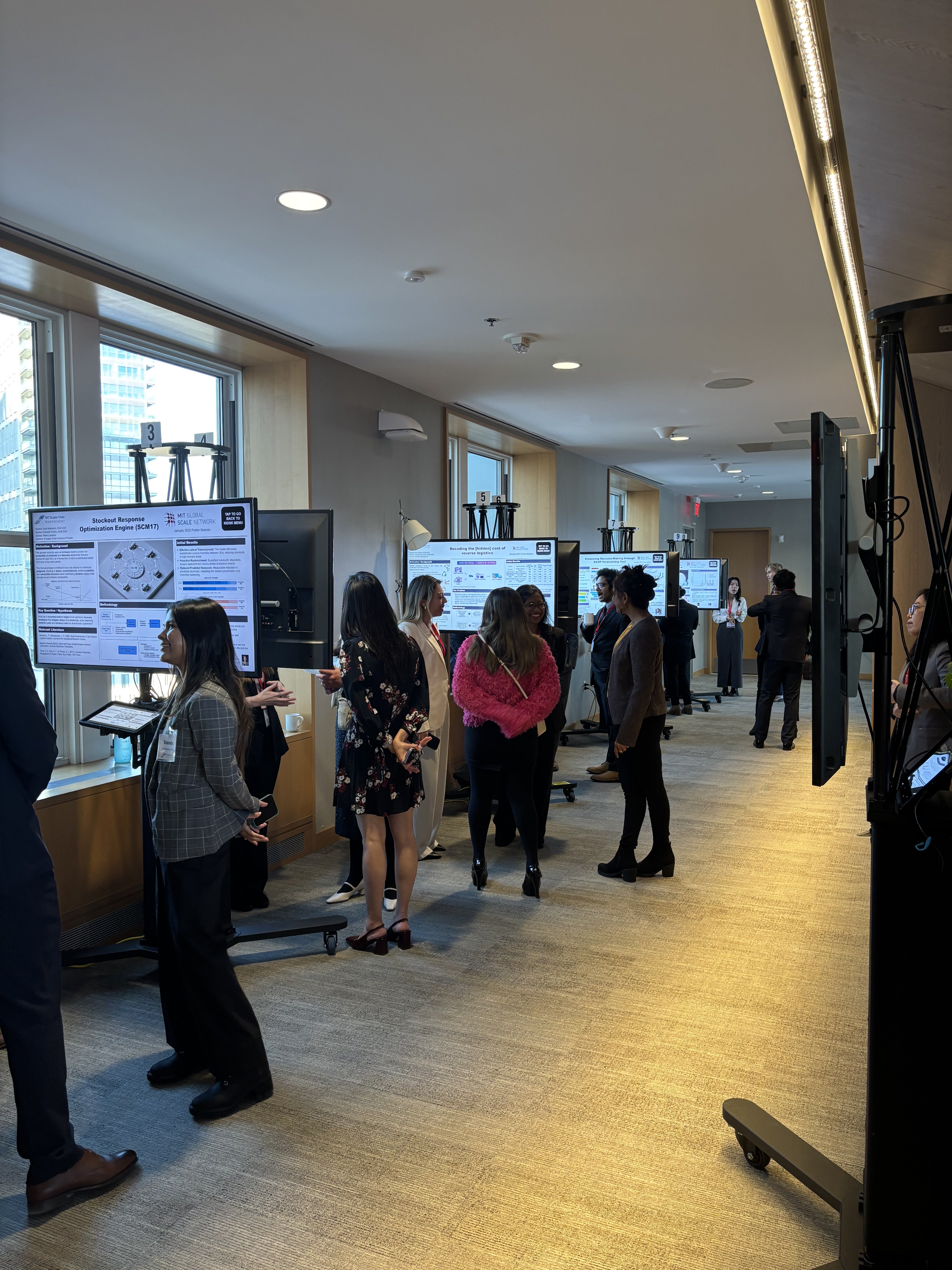
Review floor plans, power, internet, and the best display layout.
Organize presenters into sessions and assign ePosterBoard numbers.
Review, format, sort, and compile the presentation files.
Manage the boards and help presenters and attendees on site.
Benefits
Increase revenue
Choose the approach that fits your conference registration and sponsorship model.
01
Charge presenters a nominal fee that is substantially less than paper poster printing.
02
Create a corporate sponsorship with recognition in the kiosk, signage, or registration area.
03
Spread the service cost across attendees as a small addition to conference registration.
Ready to plan?