
Conference Poster Session Risk Assessment
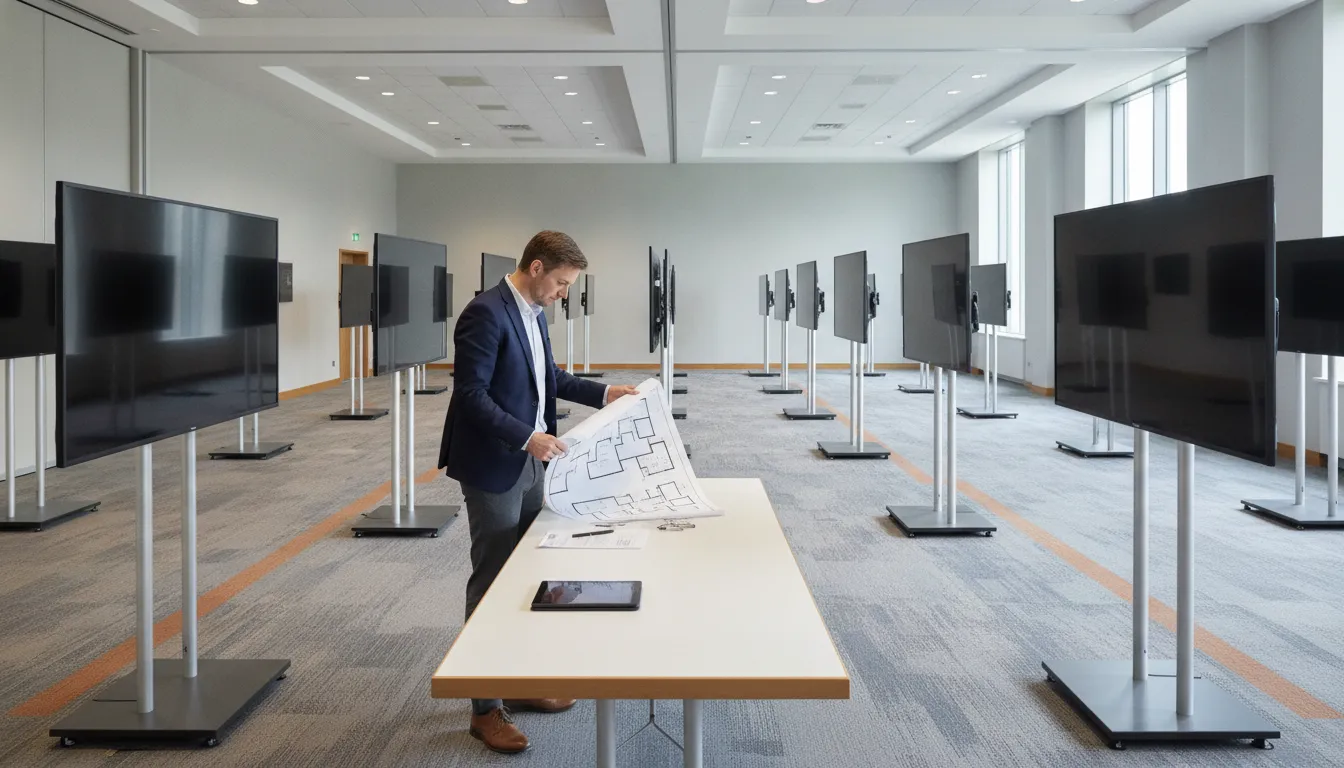
A conference poster session risk assessment is a short list of ways the session can fail, how likely each failure is, how badly it would hurt the session, and who owns the response. It is not a floor plan, a file spec, or a promise that nothing will go wrong. The organizer who owns delivery fills it in before load-in, then uses it to decide which problems need a named fallback and which ones can wait.
Request an RFP if you want a staffed display plan scoped to your room, poster count, and session schedule.
Most poster-session trouble is ordinary, and it shows up in the same places every year. A display blocks a door. A circuit trips when every screen powers on together. A file arrives unnamed, or not at all. The help desk has one person while three sessions start at once.
None of that is exotic. It is also easy to miss when the only planning document you have is a schedule of talks and a count of accepted posters.
Search results for this phrase mostly tell presenters how to design a poster. That is useful for authors. It does not tell the person running the room what to check, or who calls the venue when a circuit fails. This guide is for that person: the conference organizer, society staffer, or meeting planner responsible for the session.
What a Conference Poster Session Risk Assessment Covers
Keep the assessment inside the poster session. Do not turn it into a whole-conference emergency plan. Fire, medical, weather, and security plans already belong to the venue and the host organization. Your sheet covers the things that stop posters from being seen, heard, or reached.
Seven areas are enough for most biomedical, scientific, and technical meetings:
- Display placement: aisles, doors, sightlines, and which boards can move.
- Power: circuits, load-in order, and what happens if a strip fails.
- Internet: which parts of the session actually need a live connection.
- File readiness: missing, late, locked, or unloadable presentations.
- Staffing: who is on the floor, and who covers a gap.
- Accessibility considerations: reach, routes, and a contact for access requests.
- Contingency ownership: one name, one trigger, and one fallback per row.
Score each row the same way. Use High, Medium, or Low for likelihood. Use the same three words for session impact. Impact means what attendees and presenters would notice, not a dollar figure. A dark board during a judged session is High impact. A missing sponsor slide on a side screen is usually Low.
Write the score in plain language a colleague can act on. Use likelihood, impact, one owner, one trigger, and one fallback. A color code with no owner is a decoration.
Do this after the session format is chosen and before you publish presenter rules that assume a layout you have not checked. The conference program planning checklist is the place for scope, counts, and deadlines. This assessment starts where that checklist stops: what fails, and who acts.
Score Placement, Power, and Internet Before Load-In
Placement risk is about people moving, not about how nice the row looks. Walk the room, or walk a current floor plan with someone who has. Mark doors, restrooms, the help desk, and the path from the session entrance to the farthest board. A double-sided row that looks efficient on paper can block a required exit once stands and cables are in place.
Ask three placement questions. Can two people stop and talk without closing the aisle? Can a presenter reach their board without crossing a cable run? If one stand has to move on site, which neighboring boards move with it? If you cannot answer the third question, the layout is not finished. Placement design itself belongs in a layout plan. Here you only record the failure: blocked route, crowded cluster, or a board that cannot be reached.
Power is the next row, and it is where digital sessions differ from cork boards. Large flat-panel displays, stands, and any touchscreen tablets all draw from the room. The services team reviews floor plans, power, and internet before a layout is locked, including on the ePoster management workflow. Your assessment should still name the venue contact who can open a new circuit, because a rented display plan cannot invent amperage the building does not have.
Rate power risk High if you have not seen a circuit map. Also rate it High if the hall shares a breaker with catering, or if every display will power on in the same minute. Rate it Low only when the venue has confirmed capacity in writing and you have a staged power-on order.
The fallback is not a hope that the breaker holds. It is a written order. Say which boards turn on first, which can stay dark, and who tells the presenters.
Internet risk is easy to overstate. A preloaded poster on a local display does not need the venue network to be seen. A live upload, a kiosk menu pulled from a server, a voting page, or a virtual room does. Split the row. Score "posters already on the displays" separately from "anything that needs a connection that morning."
If the only internet plan is "the venue has Wi-Fi," mark likelihood High. Hotel and convention networks are shared, and a poster hall full of phones will compete with your help desk. The contingency is a local copy: files already on the display computers, a printed or on-screen board list, and a decision about which live features you will drop. Do not design the network in this sheet. Record whether the session can run without it, and who makes that call.
File Readiness and Staffing Risks
File risk is a delivery risk, not a design critique. You are not judging whether the science is clear. You are asking whether a technician can open the file, put it on the assigned board, and move to the next one. Typical failures are a missing file, a password, a format the display computer will not open, and a name that does not match the board list.
The ePoster file requirements page is where you publish format, size, and naming rules. In the risk sheet, turn those rules into a count. How many accepted posters still have no file three days before load-in? How many arrived in a format you said you would not convert? How many need the presenter's own laptop because the content is proprietary or too dense to preload?
That last group changes the room. Plug and Play Advanced is the setup where a presenter connects a personal computer. It is not the same job as loading a file from a drive. If you discover those laptops late, you may need different cables, a different place in the row, and someone standing by for connector problems. Score that as its own row once the number is more than a handful.
Set a trigger, not a vibe. A workable one is: if more than 10 percent of files are missing or unloadable 48 hours out, the session lead freezes the board list and the content owner contacts those presenters directly. Last-minute files can still be loaded on site when the package includes that help. They should not be the plan.
Staffing risk is who is actually in the room. On a managed session, technicians load files, help presenters, switch content between sessions, and keep a help desk. The level of that support depends on the package you booked. Your sheet should say how many people you expect, which hours they cover, and what you will do if one of them is out.
A simple test: at the busiest session change, can one person load files while another answers the help desk? If the answer is no, likelihood of a visible delay is High, even if the equipment is fine. Name a deputy from your own staff for presenter questions that are not technical, so the floor techs are not also the information booth.
Do not invent a ratio of technicians to boards. No public staffing formula covers every room. Write the number that is in your proposal, then write the gap plan beside it. Gap plans are things like combining two session changes, preloading the next hour during a break, or closing the help desk for ten minutes while files move. Say which one you will use.
Accessibility Considerations Without Overclaiming
Accessibility considerations belong on the sheet because a poster session fails for someone when they cannot reach a board, read a title, or find a person to ask. This is an operations check. It is not a certification, and it is not a claim that a display rental meets a legal standard.
Walk the same route you used for placement, this time with reach and path in mind. Is the aisle wide enough for a wheelchair to pass a person who has stopped to talk? Are touch controls and any check-in tablet inside a reachable range, or only at standing height? Is there a step, a cable cover, or a carpet edge at the entrance to the row? If you do not know, the likelihood is not Low.
Also name a person, not a policy. Presenters and attendees who need a formatting or access accommodation need one contact before the meeting, and that contact needs a backup on site. Point authors to the presenter formatting guidelines for slide setup. Keep access requests on your organizer desk, because a tutorial does not assign a seat, a time, or a quieter slot.
Score impact by who is excluded. A board placed where a wheelchair user cannot stop in front of it is High impact for that presenter and that audience, even if the rest of the hall looks fine. The fallback might be moving that presentation to an end board, offering a seated conversation time, or adjusting when the file is shown. Pick one and name the owner. Do not write "ADA compliant" on the row. You have not performed that review by filling in a table.
Give Every Contingency One Owner
A contingency is the action you will take when a trigger hits. It is useless if three people think someone else will start it. Each row gets one owner. That person can ask for help. They cannot share the decision.
Use roles you already have. Session lead. Venue contact. Content owner. Floor lead. Access contact. If a vendor crew is loading displays, they can own equipment swaps that are inside the booked scope. They should not own your program decision to drop a session, merge two hours, or tell a presenter their file will not be shown.
Write the trigger so a tired person can see it. "Internet is bad" is not a trigger. "The kiosk menu has not loaded after ten minutes, and local files are ready" is a trigger. The fallback then is specific: show the local files, hide the live menu, and post the board order at the help desk. The owner is the floor lead. The session lead hears about it. They do not have to be the one who taps the screen.
Keep fallbacks inside what you can actually do that day. Moving a presentation to another board, delaying a session change, showing a static file instead of a video, or asking a presenter to use a preloaded copy are real options. Promising a replacement screen you do not have on site is not. Hardware counts, spare cables, and response times belong in the proposal, not as a guess in this sheet.
Review the sheet once, with the venue contact if you can, at least a week before load-in. Change owners if someone will not be in the building. Read the High-impact rows out loud. If a row has no fallback, either the impact is wrong or you still have planning to do.
This is also the moment to separate optional add-ons from the core session. Abstract portals, electronic judging, and a hosted gallery are separate services. A judging tablet that fails is a judging problem with its own owner. Do not let it block the decision to keep posters on the displays.
A One-Page Risk Table You Can Fill In
Copy this table into the shared planning doc. Replace the sample scores after you walk the room and count the files. Leave a row blank rather than inventing a Low.
| Risk area. | What you check. | Sample score. | Owner. | Trigger and fallback. |
|---|---|---|---|---|
| Display placement. | Aisles, doors, and boards that can move. | Medium / High. | Session lead. | If an aisle is blocked at load-in, pull one stand before doors open. |
| Power. | Circuit map and staged power-on. | High / High. | Venue contact. | If a breaker trips, dark the spare row and restart in the written order. |
| Internet. | Which features need a live connection. | Medium / Medium. | Floor lead. | If the menu fails to load, show files already stored on the displays. |
| File readiness. | Missing, locked, or unloadable files. | Medium / High. | Content owner. | If over 10 percent are missing at 48 hours, freeze the board list. |
| Staffing. | Coverage at each session change. | Low / High. | Floor lead. | If one tech is out, preload the next hour during the break. |
| Accessibility considerations. | Route, reach, and a named contact. | Medium / High. | Access contact. | If a board cannot be reached, move that poster to an end position. |
The sample score is likelihood, then session impact. Yours will differ. A small society meeting in a room you know may score power as Low. A first-time hall with an unsigned circuit email should not.
Read down the Owner column when you are done. Every name should be a person who has seen the row. If the same person owns every High row, the sheet is telling you the session has a single point of failure before the first poster is shown.
Run the Assessment on a Real Timeline
Do the work in four passes. Each pass has one output. If a pass has no output, it did not happen.
- Four to six weeks out, list the seven risk areas and name an owner for each. Book venue answers for power and placement. Preferred planning time is about two months, and a booking inside six weeks may carry a rush charge.
- Three weeks out, count files against the rules you published. Flag laptop-dependent posters. Confirm the help-desk hours in the proposal match the session grid.
- One week out, walk the room or a marked-up plan. Rewrite any trigger that is still vague. Tell each owner the single fallback they may start without a meeting.
- At load-in, use the table. Do not redesign it in the hallway. Note what actually failed so the next meeting starts from evidence.
Pass one is a staffing and access conversation as much as a technical one. You are assigning names while people can still say no. A venue electrician who is off that week cannot be the power owner. A volunteer who leaves after the keynote cannot own the last session change.
Pass two is arithmetic. Pull the accepted-poster list and mark each row as loaded, missing, wrong format, or presenter laptop. The content owner sends one note to the missing group and does not rewrite the file rules in that note.
Rules stay in the requirement brief. This pass only finds the gap between the list you published and the files you actually have.
Pass three is the only pass that needs the room. If you cannot visit, ask the venue for current photos of the exact hall, including doors and floor boxes. Phone and video can cover a distant site, but they cannot replace a written answer on circuits.
Update likelihood after what you see, not after what a spring sales diagram showed. If the photos and the diagram disagree, trust the photos and rescore the row.
Pass four is short on purpose. The table is already decided. Load-in confirms it. If a new failure appears, add one row with an owner before you improvise a second plan on the floor.
When the scores are honest, the next step is a quote for the setup you can actually support, not the setup you hoped would fit. Tell the proposal how many boards, how many sessions, whether any presenter must use their own computer, and which live features you are willing to drop.
Review ePoster session services or call 617-588-3508 to scope on-site support. Hardware and staffing are quoted per event. Nothing on this page is a rate card.
Frequently Asked Questions
What is a conference poster session risk assessment?
It is a one-page review of how the poster session could fail and who will respond. Organizers score placement, power, internet, files, staffing, and access. Then they write one trigger and one fallback for each row.
When should organizers complete it?
Start when the session format and room are known, ideally about two months before the meeting. Finish the scores at least a week before load-in so owners can still change. The week of the event is for using the sheet, not inventing it.
Who should own each contingency?
One person per row. Use a session lead, a venue contact, a content owner, a floor lead, and an access contact. A vendor crew may own equipment steps that sit inside the booked scope. They should not own program decisions, such as merging sessions or pulling a poster.
Does a digital poster session need internet to run?
Not always. Posters already loaded on the displays can run without the venue network. Live menus, morning uploads, voting pages, and virtual rooms cannot. Score those needs on their own row, and decide ahead of time which ones you will turn off.
Does this assessment certify accessibility or uptime?
No. It records route, reach, and a named contact so fewer people are blocked from the session. It does not certify accessibility, promise uptime, or replace the venue's emergency plan. Confirm hardware and staffing in the event proposal.