
WELCOME TO THE 2026 AI AT YALE PRESENTER COMMUNITY SITE
What can you do on the community page?
click on each photo to jump to the corresponding section


Checklist of items to complete
click on each photo to jump to the corresponding section
Review
Overview:
As a live poster presenter you will be presenting at your assigned session time frame during the conference.
We encourage you to watch the technical webinar.
Important Notice:
When creating an account and uploading your file, please ensure your email settings allow messages from Submittable, as all communications are handled through the platform. Be sure reviewer notifications are not sent to your spam or junk folder to avoid missing reviews or important updates.
ePosterboards assignments will be e-mailed once the assignment list has been finalized
The Schedule is as follows:
Coming soon
…
Presentation Format
We encourage using one of the templates provided to ensure the best fit and visibility on our ePoster screens. While using a template is optional, you must follow the guidelines listed in order to display properly on screen.
As a live presenter you’ll be able to embed interactive features onto our ePoster such as hyperlinked buttons, animations, short videos, or GIFs.
If you have any questions, please reach out via our chat box or the technical support form linked below

What is an ePosterBoard?
A digital platform that consists of a 48-inch flat panel monitor, a stand, a touchscreen Surface tablet, and assorted cables used to display and share electronic posters.
Click on the Buttons below to download the guidelines

Formatting Guidelines
Click on the button to the left for additional ePoster formatting tutorial videos.
Important Items to Note:
Slide Size: width 40.97” x height 23.04”
Font Size: 28 pt or larger
Save file as Lastname.Firstname
Important Notice:
When creating an account and uploading your file, please ensure your email settings allow messages from Submittable, as all communications are handled through the platform. Be sure reviewer notifications are not sent to your spam or junk folder to avoid missing reviews or important updates.
EVENT DETAILS:
Date: April 28th, 2026
Location: Kline Tower
219 Prospect Street in New Haven, CT 06511
14th Floor
Check-in: An ePosterBoards help desk will be located next to the ePosters to check you in and for any technical assistance you may have.
Make sure to submit your ePoster file by Tuesday, April 10th , 2026 11:59PM ET
Bring a flash drive with your presentation file as a backup in case of technical difficulties.


Technical Webinar
Watch the technical webinar below to learn the latest tips and tricks for creating your ePoster presentations.
The Webinar covers the following information:
-ePoster Templates
-Formatting Guidelines
-Do's and Donts for your ePoster
ePoster Templates
1. Choose an ePoster Template:
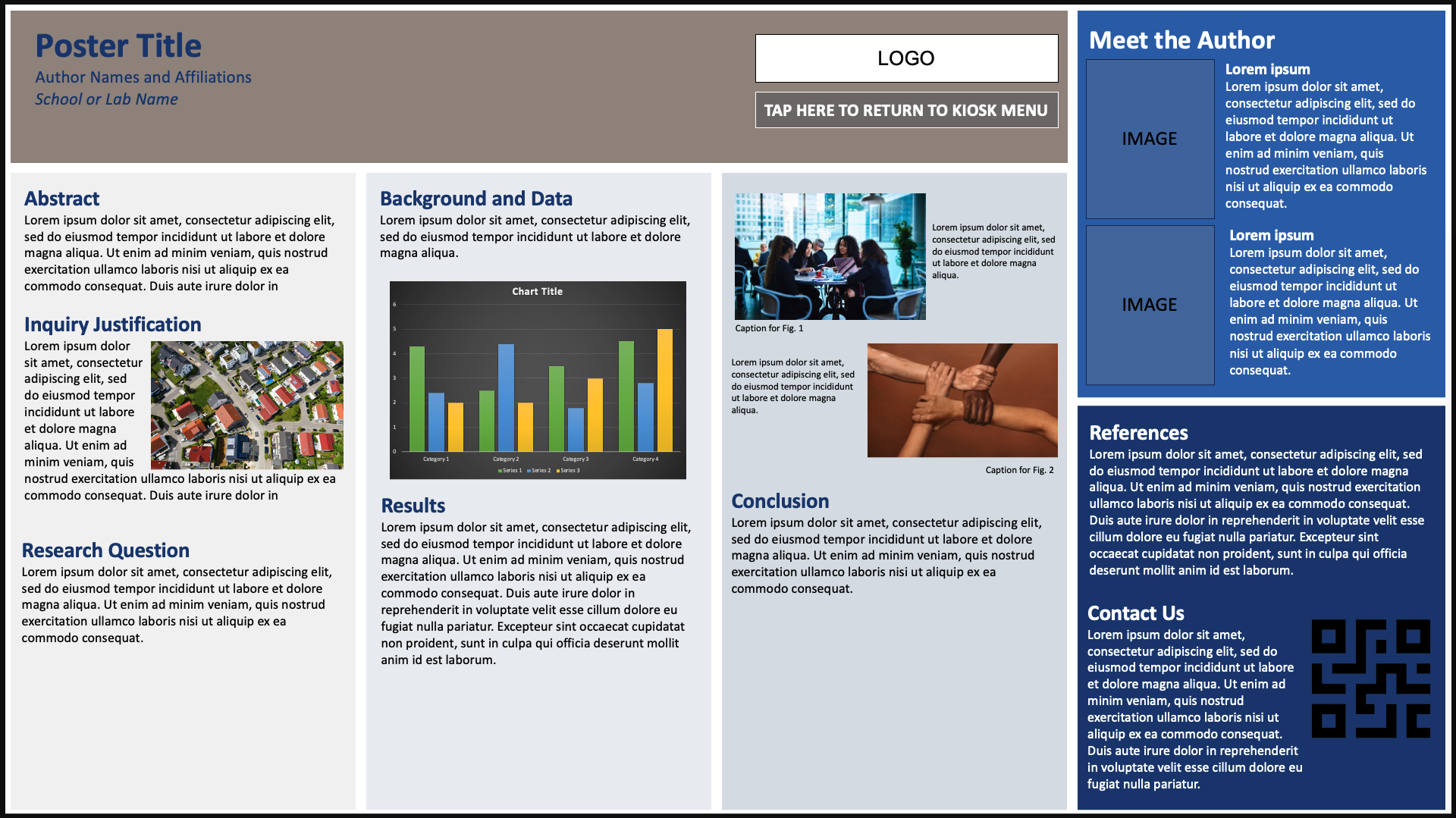
Single Slide Template
A clean, structured layout clearly highlighting key sections of your content.
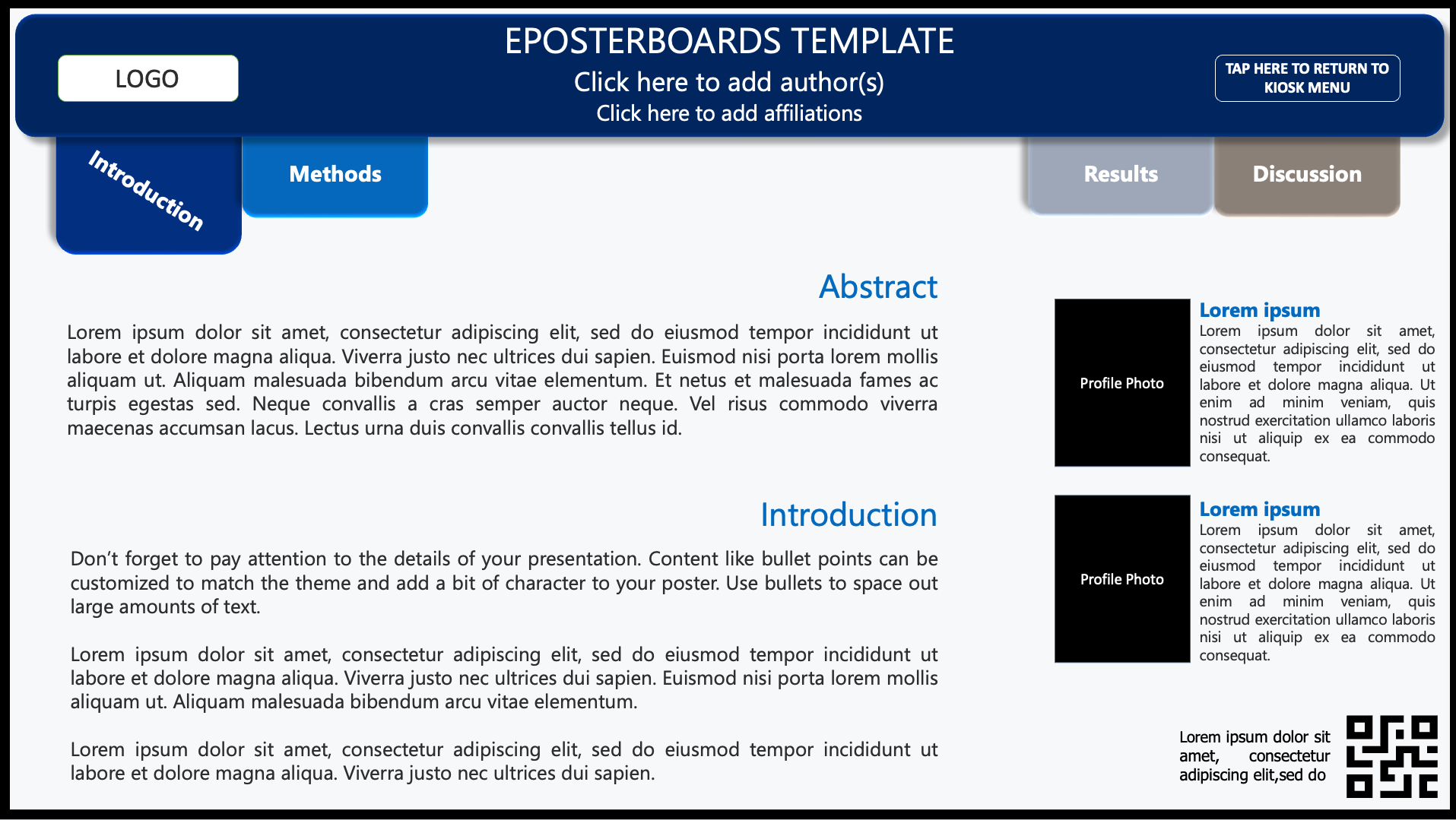
Advanced Template
An interactive, multi-slide layout with built-in hyperlinks for easy navigation between sections, ideal for presenting detailed research in a clear and organized format
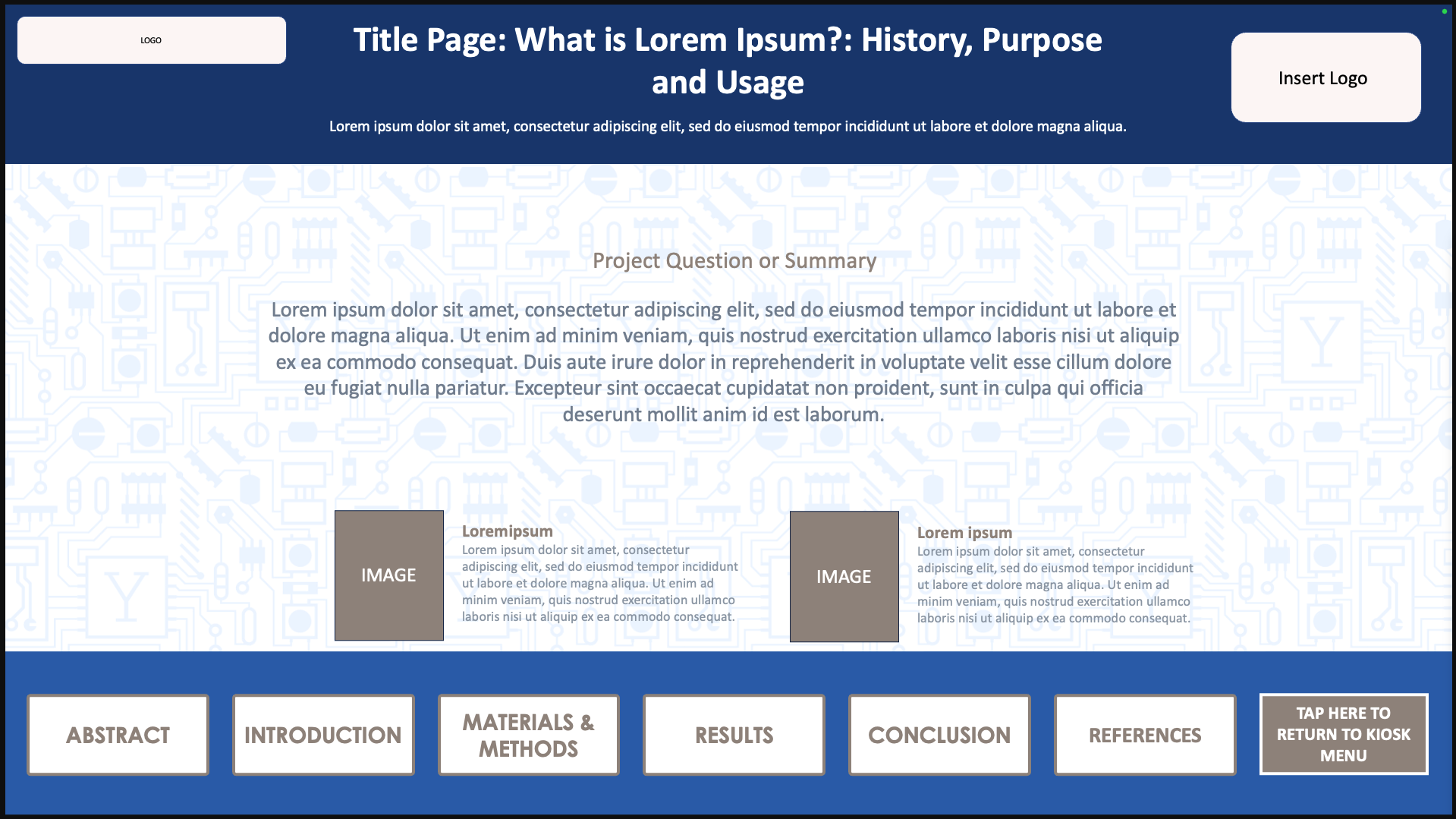
Hyperlink Template
An interactive, multi-slide layout with built-in hyperlinks for easy navigation between sections, ideal for presenting detailed research in a clear and organized format.
Submit
Submitting your ePoster:
Posters are due by Friday, April 10th, 2026 at 11:59pm ET
Go to the submission page shown below and create an account by inputting your name and email on the bottom of the page. After creating an account, the form will appear for you to fill in information about your ePoster.
Fill out the form with all information pertaining to your ePoster
Upload your ePoster file (.PPTX, or .PPT only); presentations are limited to a maximum of 6 slides
Upload any supporting materials if applicable (videos, images, graphs)
Click Submit
You will receive an email notification when your file has been received and reviewed. Verify that the submittable email has gone to your main inbox and not your spam or junk folder.
Important Notice:
When creating an account and uploading your file, please ensure your email settings allow messages from Submittable, as all communications are handled through the platform. Be sure reviewer notifications are not sent to your spam or junk folder to avoid missing reviews or important updates.
Ready to Submit?
Posters are due by: Friday, April 10th, 2026 by 11:59PM ET
Use the button to move to the submission website to upload your file
Session Assignments
Find Poster Assignment
Click the black button to access the interactive poster assignment sheet and find your board number, session date, and time.
Prepare

ePosterboards Videos
Watch ePosterboards Videos
Watch ePosterboards Videos to learn how to format your ePoster and learn how to use an ePoster Template
ePosterBoards Technical Help Desk Hours:
Check-in at the Technical Support Help Desk at least one hour before your session:
Coming soon….
During the event, ePB staff will help with last minute poster uploads, provide technical support, and answer any questions related to your Eposterboard.
Remember to submit your ePoster prior to the event by the deadline.
Bring a backup of your ePoster on a thumb drive.
Test your ePoster at your assigned station, if you are having difficulties, please let us know so we can help.
