
Welcome to the 2026 Evans Days Poster Presenter Community Site!
Checklist of items to complete
click on each photo to jump to the corresponding section


Review
1. Technical Webinar
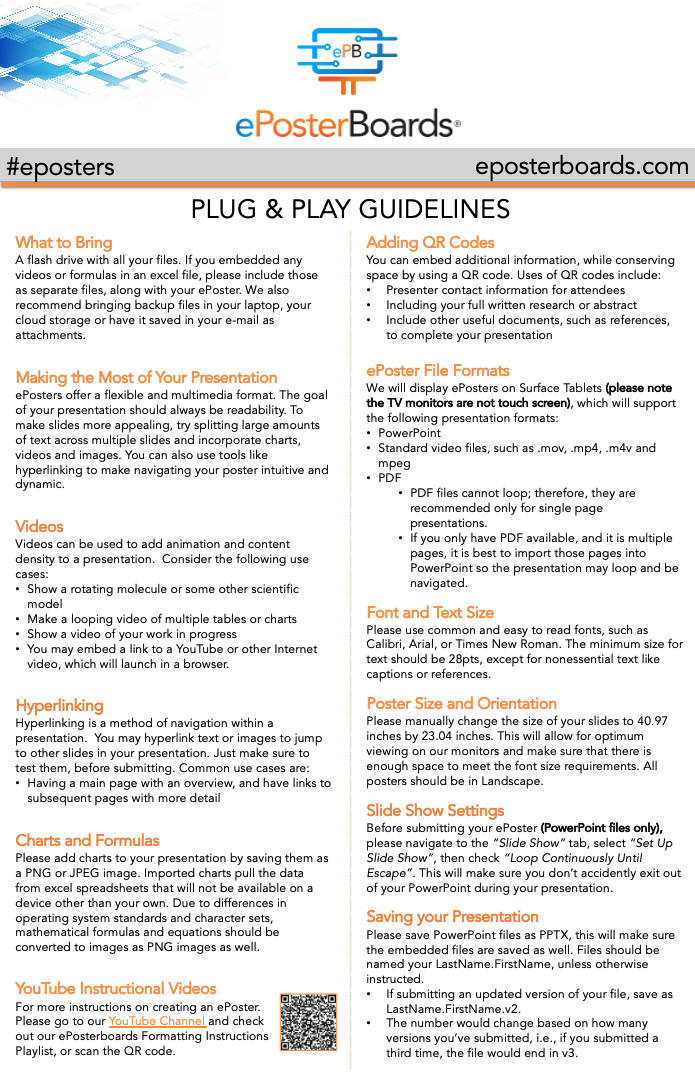
Watch the technical webinar to learn how to create your ePoster, follow guidelines, and complete the submission process. Download the Plug & Play Formatting Guidelines below.
2. Create Your ePoster
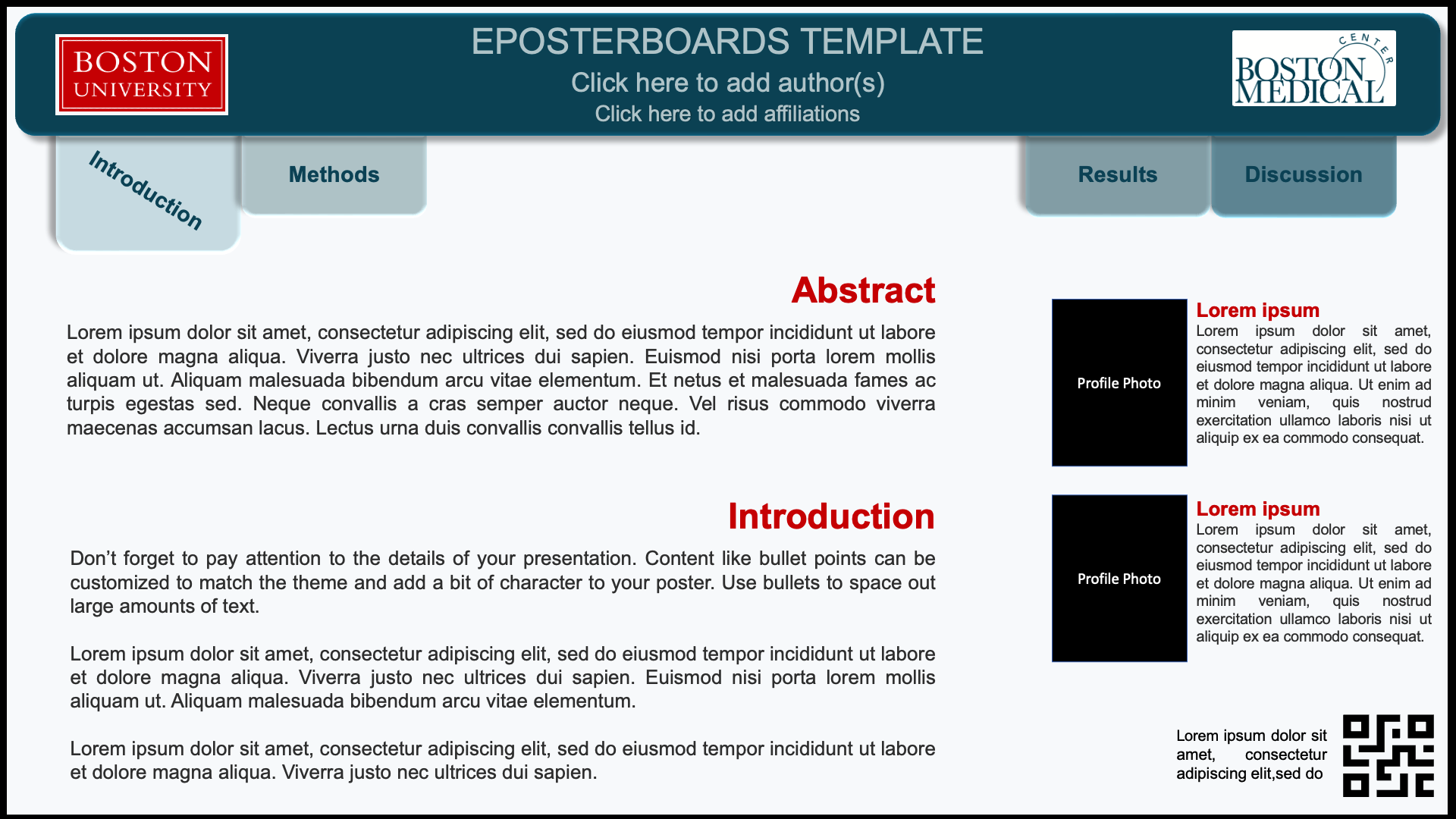
Select an ePoster template, add your content, and remove all placeholder text.
3. Create a Submittable Account
Review the submission instructions, click Continue to create your account, and save your login information for future access.
4. Submit Your ePoster
Complete the submission questions, upload your ePoster and required files, and click Submit before the deadline on September 15th at 11:59pm
Important: Save your ePoster file as Lastname.Firstname before uploading.
5. Review Your Email
You will receive email notifications:
- When your Submittable account has been created.
- When your submission has been received.
- When your submission has been reviewed.
Be sure to check your primary inbox, as well as your spam or junk folder, for emails from Submittable.
After your submission has been reviewed, you will receive an email indicating whether your ePoster has been accepted or declined. If your submission is accepted, no further action is required. If it is declined, the email will explain the reason(s). Please make the necessary revisions and re-upload your ePoster.
Click on the image to download the guidelines
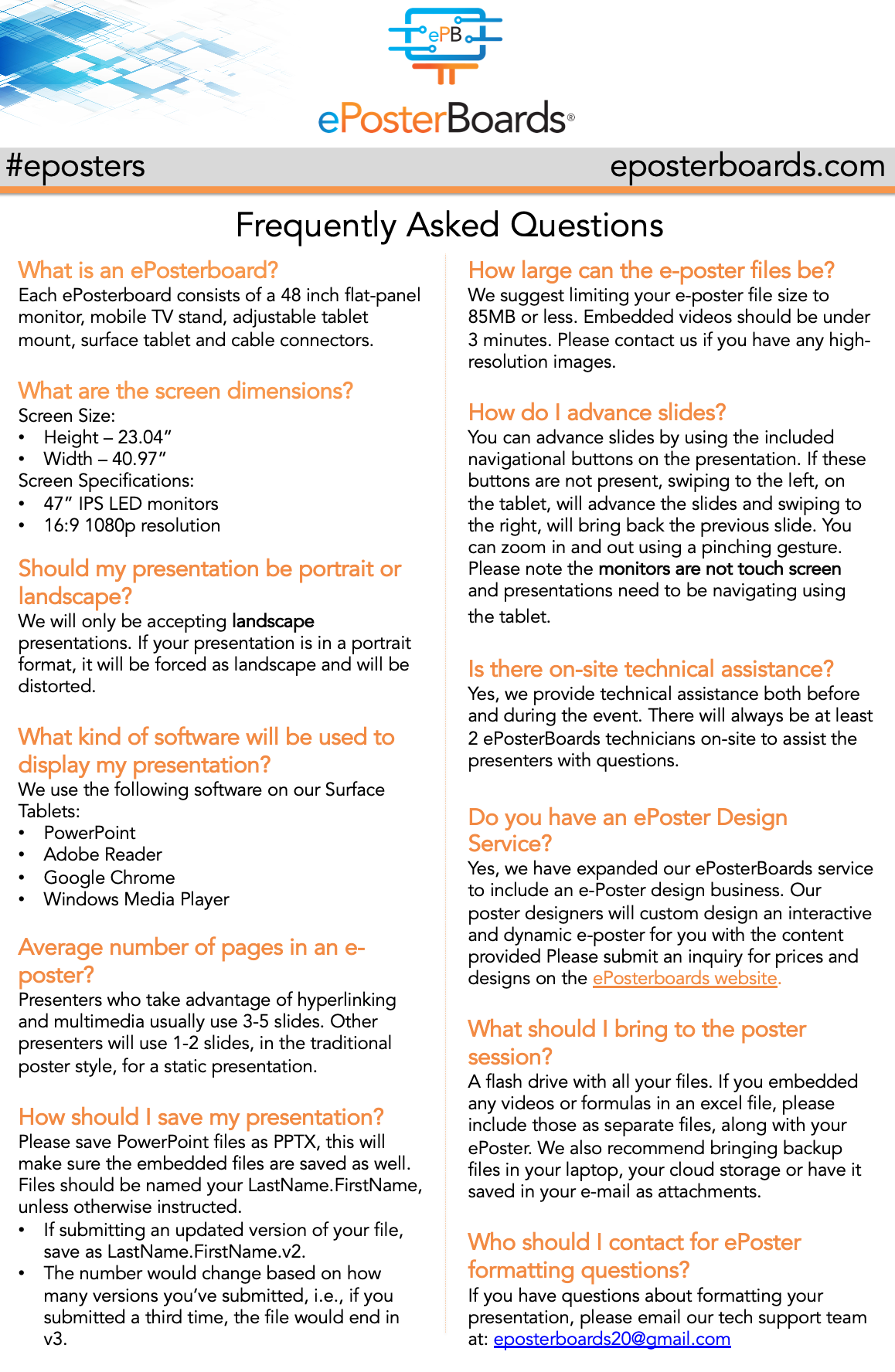


WHAT IS AN EPOSTERBOARD?
ePosterBoards are the future of poster presentations! One board consists of a large format, 48-inch flat panel monitor, a stand, a touchscreen Surface tablet, and assorted cables.
Event Details/Agenda
-
Date: Oral and Poster presentations will take place on Thursday, October 15, 2026. Check-in times and full details are available in the schedule. Click here to view the schedule.
-
The top scored abstracts will be invited to give plenary oral presentations during a spotlight session.
-
Venue: Poster sessions and oral presentations will take place at the Evans Biomedical Research Center, 650 Albany St, Boston, MA.
- Poster sessions will be held in Hiebert Lounge.
- Oral presentations will be held in the Keefer Auditorium.
-
Check-in for your poster session will be at the ePosterBoards Help Desk located (TBD).
-
All presenters will be judged, except for fully matriculated faculty. DOM presenters are eligible for awards.
-
You will present to the judges, followed by a Q&A session.

 Split content amongst multiple slides
 Hyperlink to webpages or different slides within your ePoster
 Hyperlink a smaller graph, chart or photo to navigate to a full-screen version on a different slide
 Include unique slide transitions
 Embed looping videos, animations and GIFs
 Create a QR tag to navigate to your contact info, full abstract, or a website
MAKE THE MOST OUT OF YOUR EPOSTER PRESENTATION
Event Day Schedule
October 14, 2026 – Presenter Check-In.
Time
TBD
Activity
S1 Presenters Check-In
October 15, 2026 – Presenter Preparation & Check-In
Activity
Oral Judges Check-In
Session 1 Poster Presenter Check-in [backup]
Oral Presentations
Session 1 Judges Check-in
Basic Science Poster Session
Session 2 Poster Presenter Check-in
Session 2 Judges Check-in
Clinical Research Poster Session
Finalize Winners
Time
7:30 – 8:00 AM
8:00 – 8:45 AM
8:15 – 9:15 AM
8:30 – 9:15 AM
9:30 – 10:00 AM
9:45 – 11:45 AM
10:15 – 11:00 AM
11:15 – 12:45 PM
12:45 – 1:00 PM
Formatting

Formatting Guidelines
Formatting Guidelines
Click on the link to the left of the screen to review event guidelines tutorial videos
Important Items to Note:
Slide Size: 40.97 x 23.04
Font Size: 28 pt or larger
Save file as Lastname.Firstname
Technical Webinar
The Technical webinar will review the following information:
-ePoster Templates
-Formatting Guidelines
-Do's and Don'ts for your ePoster
Submit
1. Download the ePoster Template



2. Follow Formatting Guidelines to ensure your poster meets the following requirements:
3. Ready to Submit?
Posters are due by: Sept 15th at 11:59 pm ET
Use the Orange Link to move to the Submission Website to Upload your File
*THE UPLOAD PORTAL SHUTS DOWN ON THE DATE LISTED ABOVE, YOU CAN STILL MAKE EDITS AFTER YOU SUBMIT*
too busy to create an ePoster? We’ll do it for you!
Prepare

ePosterboards Videos
Watch ePosterboards Videos
Watch ePosterboards Videos to learn how to format your ePoster and learn how to use an ePoster Template
Find Poster Assignment/Session Schedule
Click on the black button on the right hand side of the screen to see an interactive poster assignment sheet. Note the login days and times.
Check-In
Check in at the ePosterBoards Help Desk at your designated check-in time before your poster session.
Bring a backup of your ePoster on a thumb drive.
Test your ePoster at your assigned station. Our team will be ready to assist you with any issues you may have.
