
WELCOME TO THE 2026 JPS HEALTH NETWORK RESEARCH & QUALITY SYMPOSIUM
POSTER GALLERY COMMUNITY SITE
What can you do on the community page?
click on each photo to jump to the corresponding section





Checklist of items to complete
click on each photo to jump to the corresponding section

Review
Overview:
As a Poster Gallery Participant, you will submit your presentation ahead of time for inclusion in the online Gallery.
* Please take note: Everyone who is featured on the poster gallery WILL NOT be presenting live.
We encourage you to watch the technical webinar which will give an overview of all relevant information.
There are two options for submitting your poster presentation depending on when you want it to be accessible for viewing.
Submit your poster by April 23rd, 2026 11:59PM CT/ 12:59 EST and your poster presentation will be accessible starting May 19th, 2026 for 1 months.
All poster presentations will be accessible on the virtual Poster Gallery through June 19th, 2026.
Presentation Format
Gallery Participants can submit their presentation as a powerpoint or a static poster (PDF).
Poster Gallery Files: If you are a poster gallery participant, you must be aware of the following conversion limitations:
No Dynamic Content: The viewing environment is static. All dynamic elements, including animations, slide transitions, embedded videos, and audio, will not be visible or functional.
Flattened Layers: When saving your presentation as a multi-page, ensure that all critical information is fully visible on each respective page. Content that relies on one element being revealed or moved by an animation will be flattened, and could be lost or permanently obscured in the static file.
If you have any questions, please reach out via our chat box or the technical support form linked below.

What is an ePosterBoard?
Poster Gallery is the exclusive digital exhibition space for all accepted electronic poster. It is an online platform that can be accessed to both attendees and non-attendees anywhere. No Presentation Component. The ePoster Gallery is a viewing-only showcase.
Click on the Buttons below to download the guidelines

Formatting Guidelines
Click on the button to the left for additional ePoster formatting tutorial videos.
Important Items to Note:
Slide Size: width 40.97” x height 23.04”
Font Size: 28 pt or larger
Save file as Poster#.Lastname.Firstname
EVENT DETAILS:
Gallery Accessibility Dates:
May 19, 2026 – June 19, 2026
Please make sure to submit your ePoster file by April 23, 2026, at 11:59 PM CT (12:59 AM ET).


Technical Webinar
View the pre-recorded technical webinar to learn the steps in creating your ePoster, formatting guidelines, and how to submit your ePoster. After reviewing the video, please follow the steps below on creating and submitting your ePoster.
ePoster Templates
1. Choose an ePoster Template:

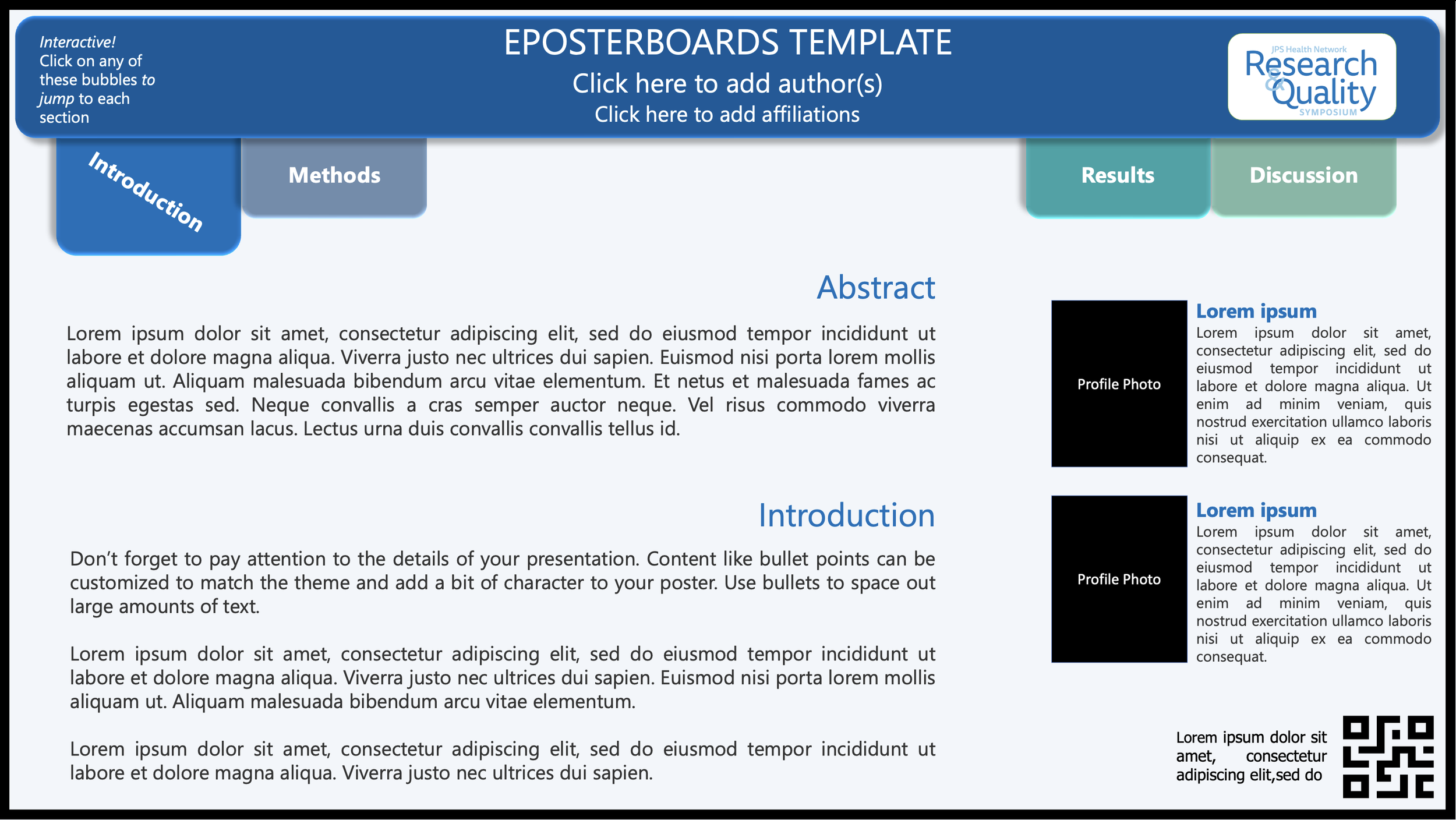
Single Slide Template
A clean, structured layout clearly highlighting key sections of your content.
Advanced Template
An interactive, multi-slide layout with built-in hyperlinks for easy navigation between sections, ideal for presenting detailed research in a clear and organized format
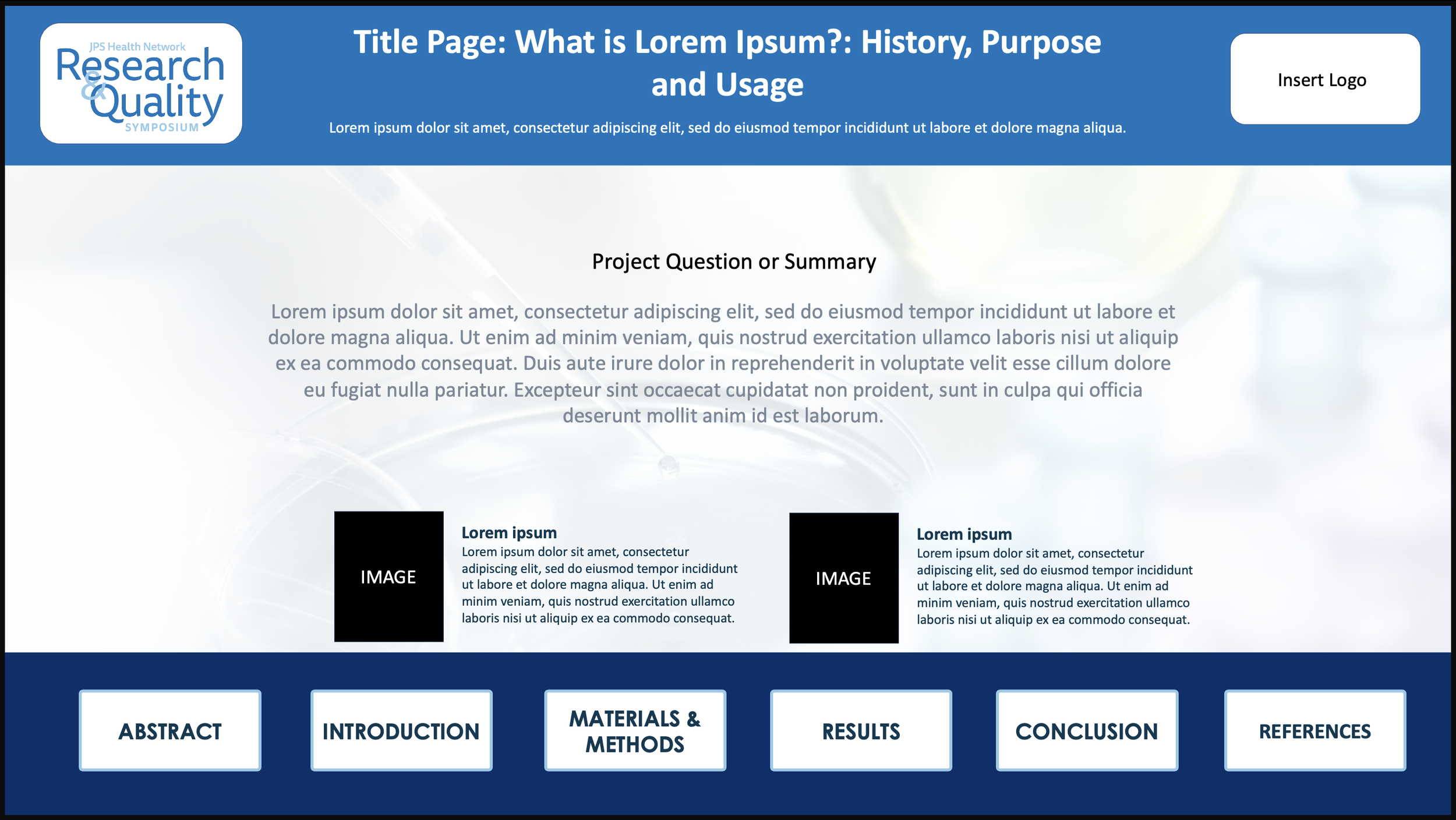
Hyperlink Template
An interactive, multi-slide layout with built-in hyperlinks for easy navigation between sections, ideal for presenting detailed research in a clear and organized format.
formatting guidelines:
Please follow the basic settings below.

ENSURE FONTS ARE READABLE-
SPLIT CONTENT ONTO MULTIPLE SLIDES IF NEEDED

NAME FILE:
PRESENTING AUTHOR LASTNAME.FIRSTNAME

ENSURE ALL IMAGES ARE HIGH QUALITY AND HIGH RESOLUTION

ENSURE STATIC POSTERS ARE EASILY LEGIBLE ON SCREEN AND CONTENT IS WELL SPACED

SAVE SLIDES AS , .PPTX, .PPT, OR .PDF

ANY INTERACTIVE LINKS, ANIMATIONS, OR DYNAMIC CONTENT WILL NOT FUNCTION AND WILL BE FLATTENED INTO STATIC CONTENT
Submit
Submitting your ePoster:
Posters are due by April 23rd, 2026 11:59PM CT/ 12:59 EST
Go to the submission page shown below and create an account by inputting your name and email on the bottom of the page. After creating an account, the form will appear for you to fill in information about your ePoster.
Fill out the form with all information pertaining to your ePoster
Upload your ePoster file (.PDF, .PPTX, and .PPT); presentations are limited to a maximum of 6 slides
Click Submit
You will receive an email notification when your file has been received and reviewed. Verify that the submittable email has gone to your main inbox and not your spam or junk folder.
Ready to Submit?
Posters are due by: April 23rd, 2026 11:59PM CT/ 12:59 EST
Use the Button to move to the Submission Website to Upload your File
Prepare

ePosterboards Videos
Watch ePosterboards Videos
Watch ePosterboards Videos to learn how to format your ePoster and learn how to use an ePoster Template
